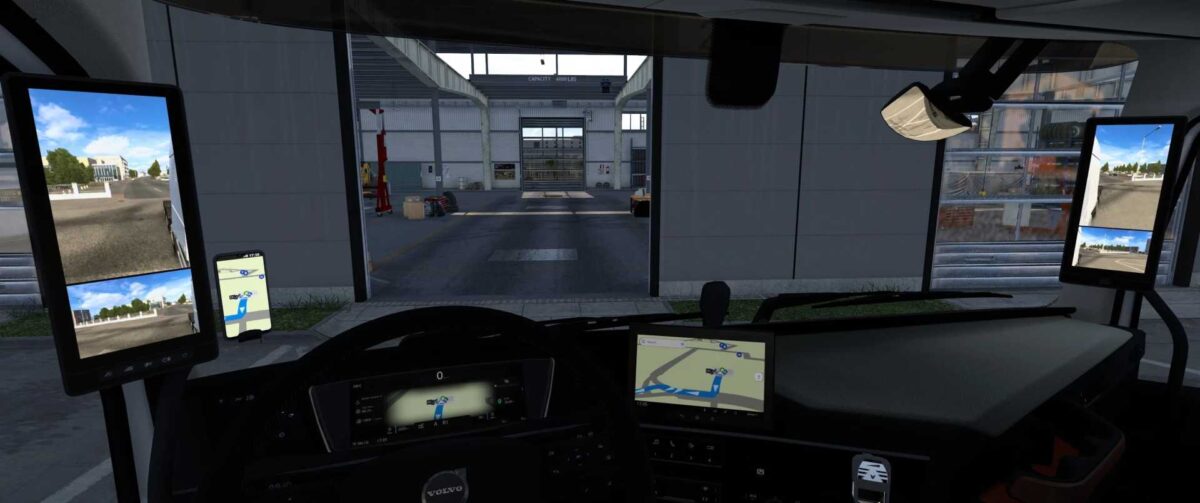
Apple Maps Navigation v1.55 for ETS2
This version includes:
- Light and dark themes with various backgrounds
- Blue navigation path
- Apple-style map icons
- Updated Apple-style road sign icons
- New background and road colors similar to those on your iPhone (only for interior, not in Route Advisor)
- Disabling arrows on the navigation path for greater realism.
Compatible with patch 1.55
Credits: Lism
Instructions for Installing ETS2 or ATS Mods
To install mods for Euro Truck Simulator 2, download the mod from the provided link and copy/unzip the files into: “My Documents\Euro Truck Simulator 2\mod” folder. If you are playing American Truck Simulator, place mods in: “My Documents\American Truck Simulator\mod” folder. You can use tools like WinRAR or 7zip to unzip files. After unzipping, make sure to activate the mods you want to use.