113H Scania Bicuda BR v1.0 for ETS2
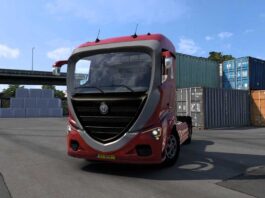
Introducing the Scania Bicuda BR ETS2 113H Truck Mod.
This mod stands as a favorite among truck enthusiasts, encapsulating realism and efficiency while also handling heavy loads on global highways.
The Scania 113H, affectionately known as the “bicuda,” holds a legendary status in Brazil’s transport history. Manufactured from 1991 to 1998, the 113H is celebrated for its robustness, performance, and innovative features for its time.
The 11-liter engine comes in 310, 320, and 360 horsepower variants, offering strength along with fuel efficiency.
Topline Cab: The first Scania model to feature this cabin style, providing extra space and comfort for drivers.
Reliability: Numerous trucks surpassed 1 million kilometers with only routine maintenance, an impressive feat back then.
Popularity: With over 26,000 units sold in Brazil, the 113H has become a staple among truck drivers, earning the reputation of “the indestructible truck.”
Often used for long-distance heavy haulage, the Scania 113H is a symbol of durability and efficiency. Even after its production concluded, its legacy endures, making it a prized possession for collectors and transport professionals alike.
Now, you can experience driving one of Brazil’s most iconic vehicles directly in the simulator.
Compatible with ETS 2 versions: | 1.54.x | 1.55.x | 1.56.x
Mod Features:
Cabin animations;
Animated antennas;
Engines available in multiple horsepower options with realistic sound.
Chassis types: 4×2, 6×2, and 6×4, available with or without liftable axles.
– 6 Steering Wheel Choices: (Original Scania 113H);
– Floor Mat Variants;
– Upholstery Choices for the Cabin;
– Rearview Camera options for a broader perspective;
– Luggage Rack Variants;
– Options: Benches and beds;
– Cabin Light: Choices include Orange, Marajoara Blue, or White.
Tip: Activate the cabin light using the same button designated for the rotating beacon.
– Fuel Tank Options: round, square, painted, or chrome;
– Battery Box Choices: Chrome, original black, or painted;
– Exhaust Customizations;
– Based on the original Scania 113H’s technical specifications;
– Dashboard Options: Black, brushed steel, and Wood.
– Original and custom paint jobs, including: 6 Editable Skins with standard paint and 6 Editable Skins with metallic finishes;
– Window and door handle animations;
– Front Grille: Options for painted, matte, or chrome;
– Multiple Chassis Choices: 4×2, 6×2, 6×4, standard, or lowered;
– Functional pedals: Animated accelerator and brake.
– Dashboard featuring animations for functional buttons;
– PX radio with compressed air: Animated springs reflecting the truck’s motion.
– Windshield installation choices: Blue or Smoked Gradient.
– Enhanced realism in suspension;
– Tinted or original mirrors;
– Window gutter customization options;
– Cargo hitch animations;
– Operational levers for parking brakes and trailer brakes;
This mod transforms real trucks from the streets into the game. It coexists with the original trucks, allowing both the 113H and 143H to enhance your garage.
Credits: fc
Instructions for Installing ETS2 or ATS Mods
Installing mods in Euro Truck Simulator 2 is straightforward. Simply download the mod, then copy or unzip the files into the “My Documents\Euro Truck Simulator 2\mod” folder. If you’re playing ATS, install mods to the “My Documents\American Truck Simulator\mod” folder. You can extract files using tools like WinRAR or 7zip. After this, activate the mods you wish to use.