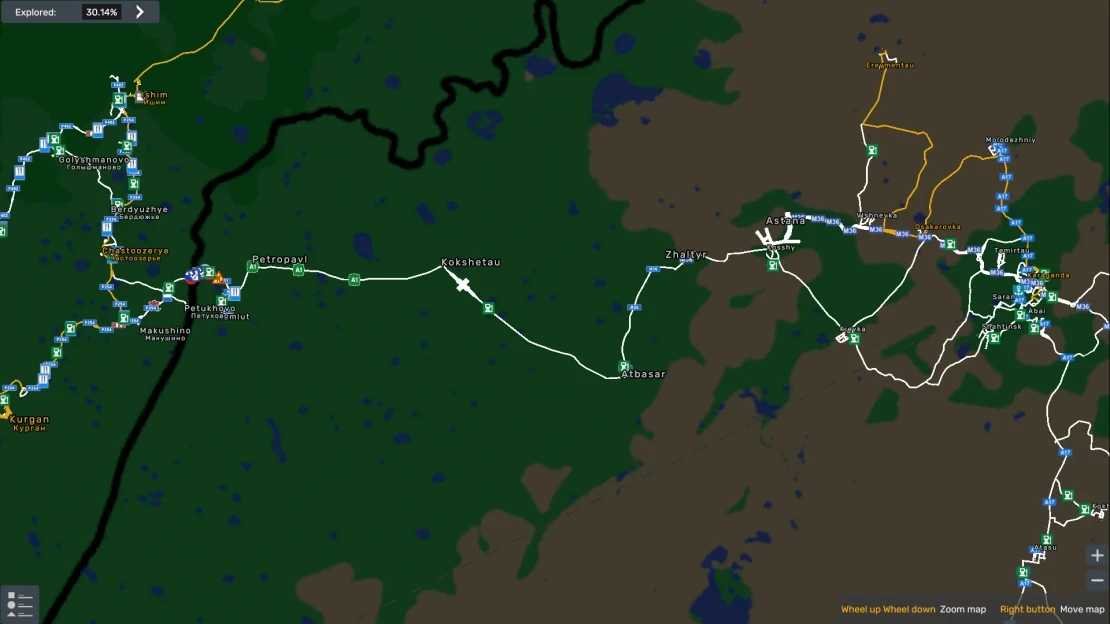
Kazakhstan – Sibir Road Connection v0.8 ETS2
Changelog v0.8 (1.54.x)
Updated to the latest Sibirmap
New company added in Kokshetau
Gas station introduced
Enhanced detailing
Description
Links the SibirMap with the Republic of Kazakhstan
Added cities include Petropavl, Atbasar, Zhaltyr, and Kokshetau
This RC requires the latest versions of both SibirMap and the Republic of Kazakhstan
Load Order
Ensure this is positioned above both Republic of Kazakhstan and SibirMap
Credits: Bozkie
Instructions to Install ETS2 or ATS Mods
Installing mods in Euro Truck Simulator 2 is straightforward. Simply download the mod from the link provided, then copy or unzip the files into: “My Documents\Euro Truck Simulator 2\mod” folder. For American Truck Simulator (ATS), use: “My Documents\American Truck Simulator\mod” folder. You can utilize tools like WinRAR or 7zip to unzip files. After that, activate the mods you wish to use.