Enhanced Dashboard – DAF New Generation XG & XG+ V2.7 [1.55] ETS2
This mod improves the dashboard realism for the 2021 New Generation DAF XG & XG+ trucks.
Changelog V2.7:
– Added compatibility for game version 1.55
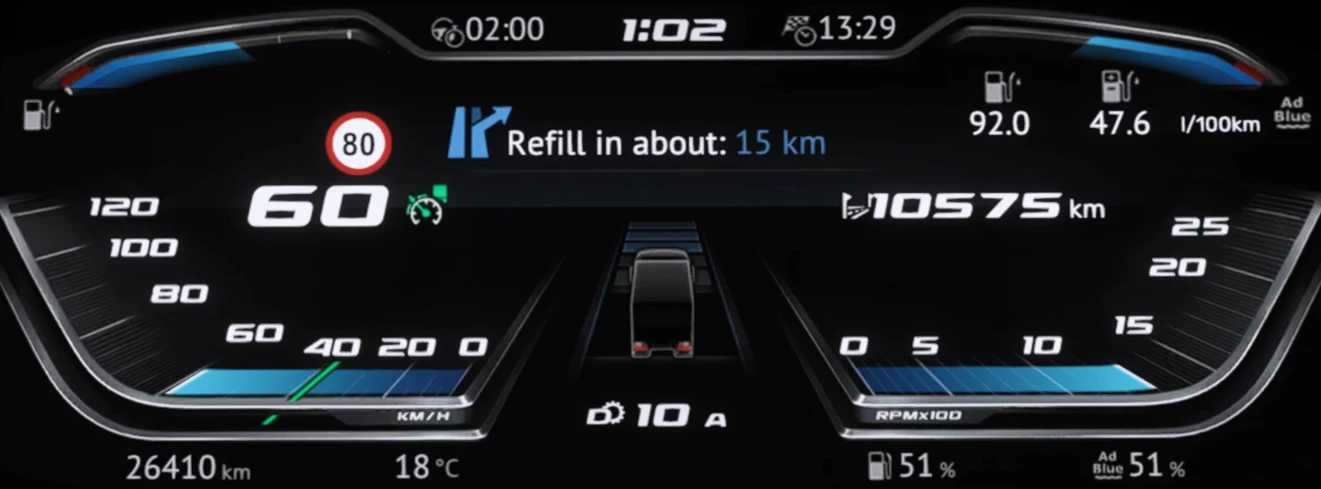
– Fully functional Fuel & Ad Blue indicator
– Updated Adaptive Cruise Control displays
– Adjusted position of “Speed Limit” indicator
– Modified color for “Refill in about” kilometers
– Various tweaks and bug fixes for UK version & Jasper DAF
– Resolved errors
– Introduced “Blind Spot” indicators in mirrors
Visual Updates:
– Enhanced text size on the dashboard
– Added new visual elements (speed limit notifications, refill estimates, etc.)
– Included missing speed indicators (EU version)
– Included missing RPM indicators (EU & UK versions)
– New Cruise Control indicator
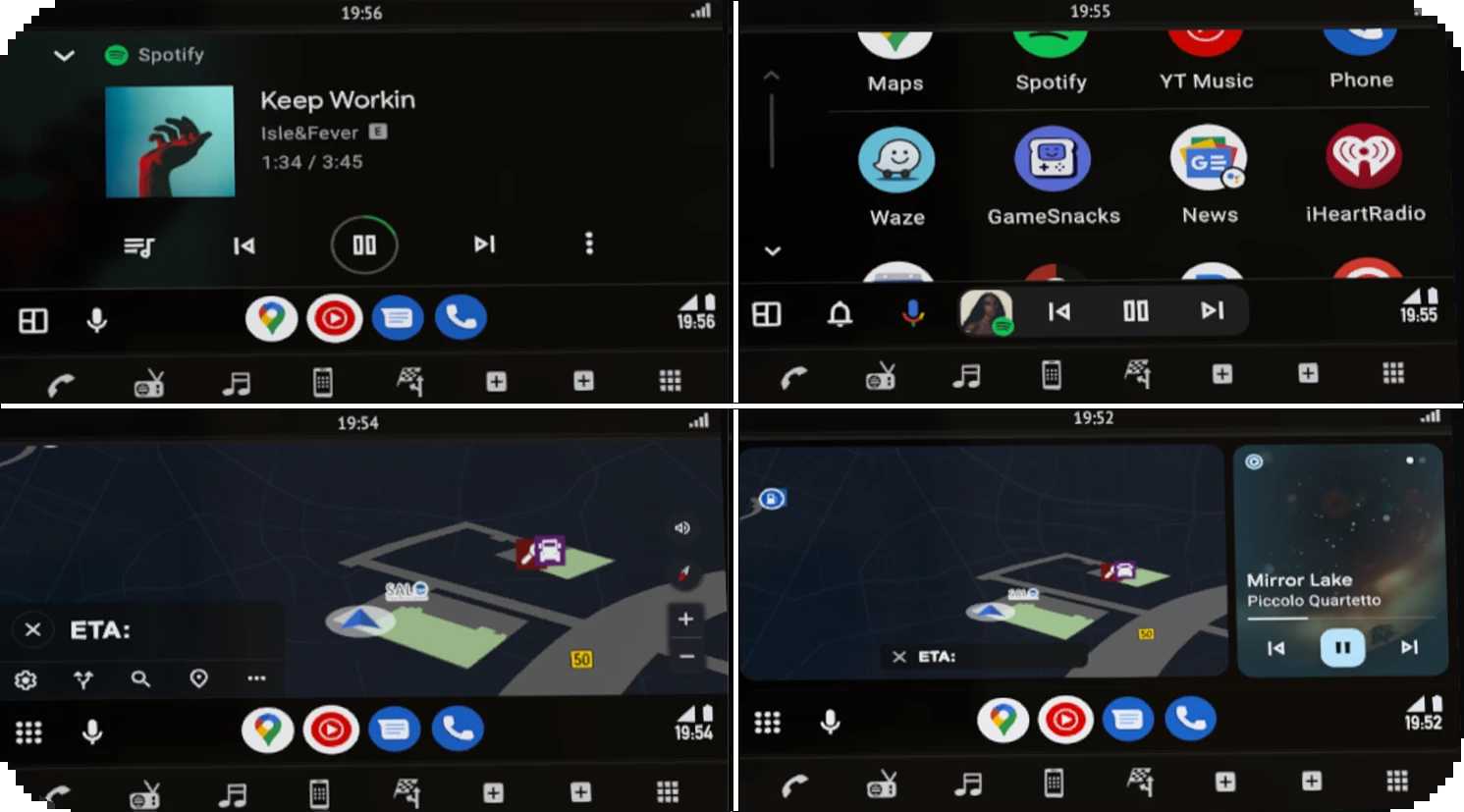
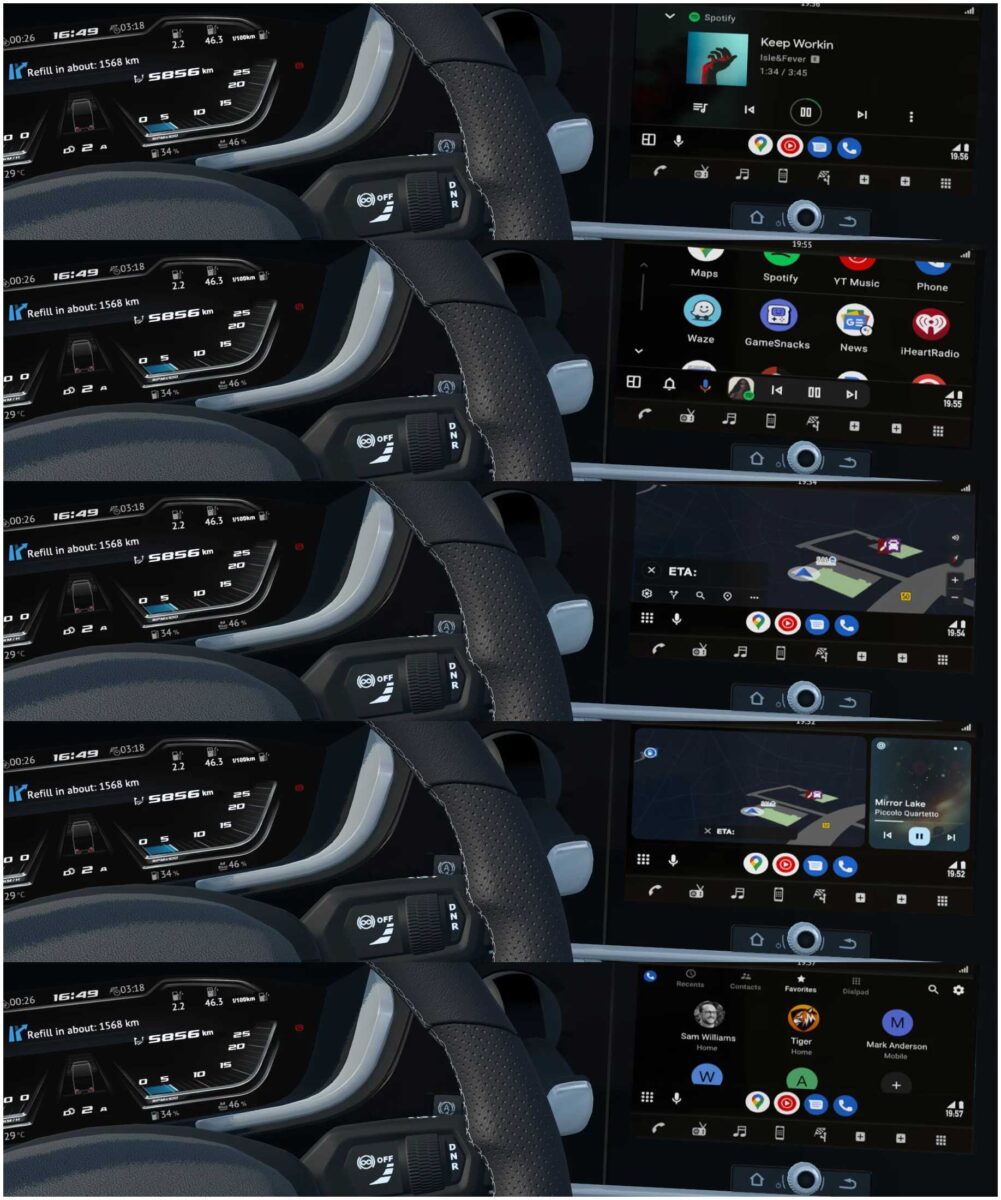
– Implemented Android Auto “CoolWalk” feature for navigation
– Fully functional Fuel & Ad Blue gauge
– Added “Blind Spot” indicators in mirrors
Add-on Features:
– Dark version of Google Maps Navigation
– DAF 2021 design reworked by Jasper (included by default)
Connection order: Flexible! No incompatibilities will arise!
Mod compatibility: New Generation DAF 2021 XG & XG+
– DAF 2021 design reworked by Jasper
– DAF NG XF by Eugene
Credits: TheTiger, Piva
How to install ETS2 mods or ATS Mods
To install mods in Euro Truck Simulator 2, simply download them from here and copy/unzip the files into the “My Documents\Euro Truck Simulator 2\mod” folder. For American Truck Simulator (ATS), place the mods in “My Documents\American Truck Simulator\mod”. You can use WinRAR or 7zip to unzip files. After that, activate the desired mods in the game.