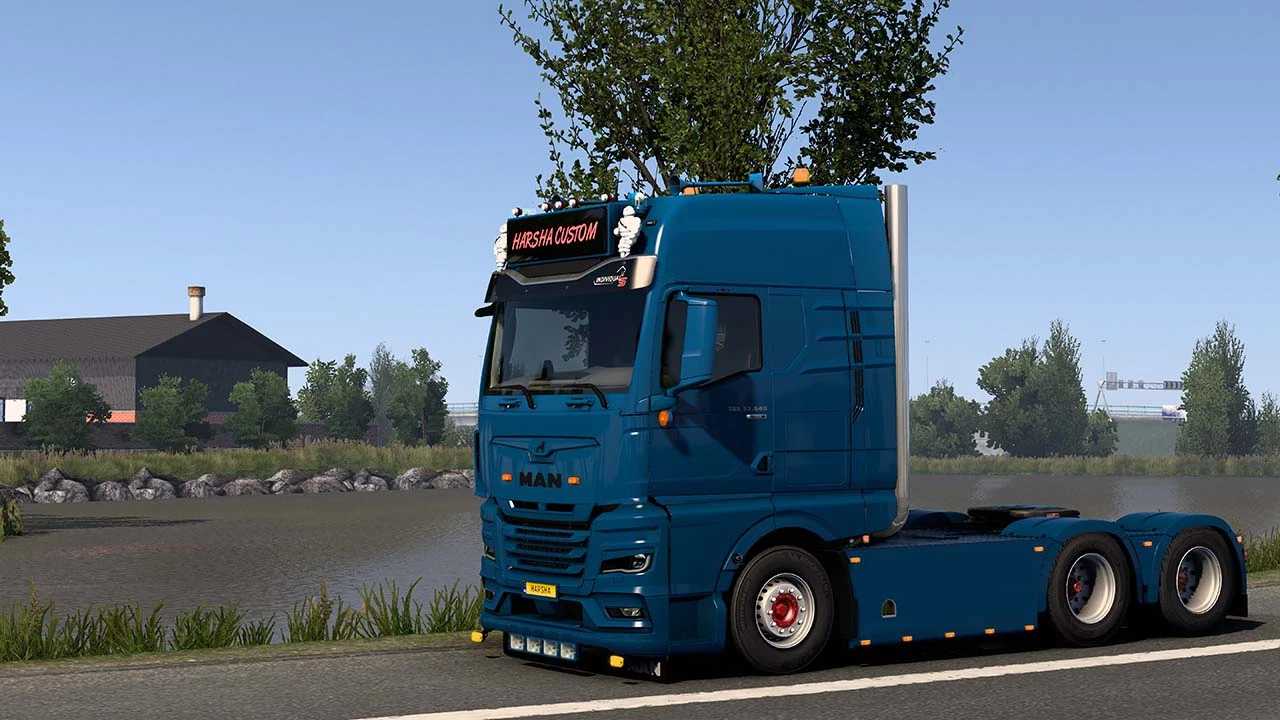
Tuning Parts For MAN 2020 GX Cab v2.6 ETS2
Included Parts:
Roof Grills [03] [Painted]
Bottom Grills [02 – Variants] [Painted]
Front Badge [Carbon]
Front Bumper [Painted]
Front Intake Bar [Painted]
Front Intake Cab [Glossy / Mat / Painted / With Double Burner]
Front Intake Chs [Painted]
Front Light Cover [Painted]
Front Logo [Painted / Carbon]
Roof Horns L & R [02 – Painted / Chrome]
Full Painted Mirror [With 2 Variants Light]
Painted Door Handle
Painted Filter
Roof & Side Deflector With Red Lights
Side Panel [Painted]
Front Wind Frame [Painted]
Middle Exhaust [4×2, 6×2, 6×4]
Door Step [Painted]
Sideskirt & Chassis Cover [4×2, 6×2, 6×4]
Compatible with MAN TGX 2020 (SCS)
Game Version: (1.54)
Credits: Harsha Customs
How to Install ETS2 or ATS Mods
Installing mods in Euro Truck Simulator 2 is straightforward. Download the mod from here, then copy/unzip the files into: “My Documents\Euro Truck Simulator 2\mod” folder. For ATS, place mods in: “My Documents\American Truck Simulator\mod” folder. To unzip files, you can use WinRAR or 7zip. After that, you need to activate the mods you wish to use.