Sound N028 for Trucks 1.56 ETS2
IMPORTANT! This mod was created for personal use, and may not suit everyone.
Mod: ETS2_Sound_N028_for_trucks_v1.56_.scs
This sound mod alters truck sounds regardless of the engine type used.
Refer to the list of compatible trucks below.
Compatible Default Trucks in ETS2:
– daf.2021
– daf.xd
– daf.xf
– daf.xf_euro6
– iveco.hiway
– iveco.stralis
– iveco.sway
– man.tgx
– man.tgx_2020
– man.tgx_euro6
– mercedes.actros
– mercedes.actros2014
– renault.etech_t
– renault.magnum
– renault.premium
– renault.t
– scania.r
– scania.r_2016
– scania.streamline
– scania.s_2016
– scania.s_2024e
– volvo.fh16
– volvo.fh16_2012
– volvo.fh_2021
– volvo.fh_2024
USER MANUAL:
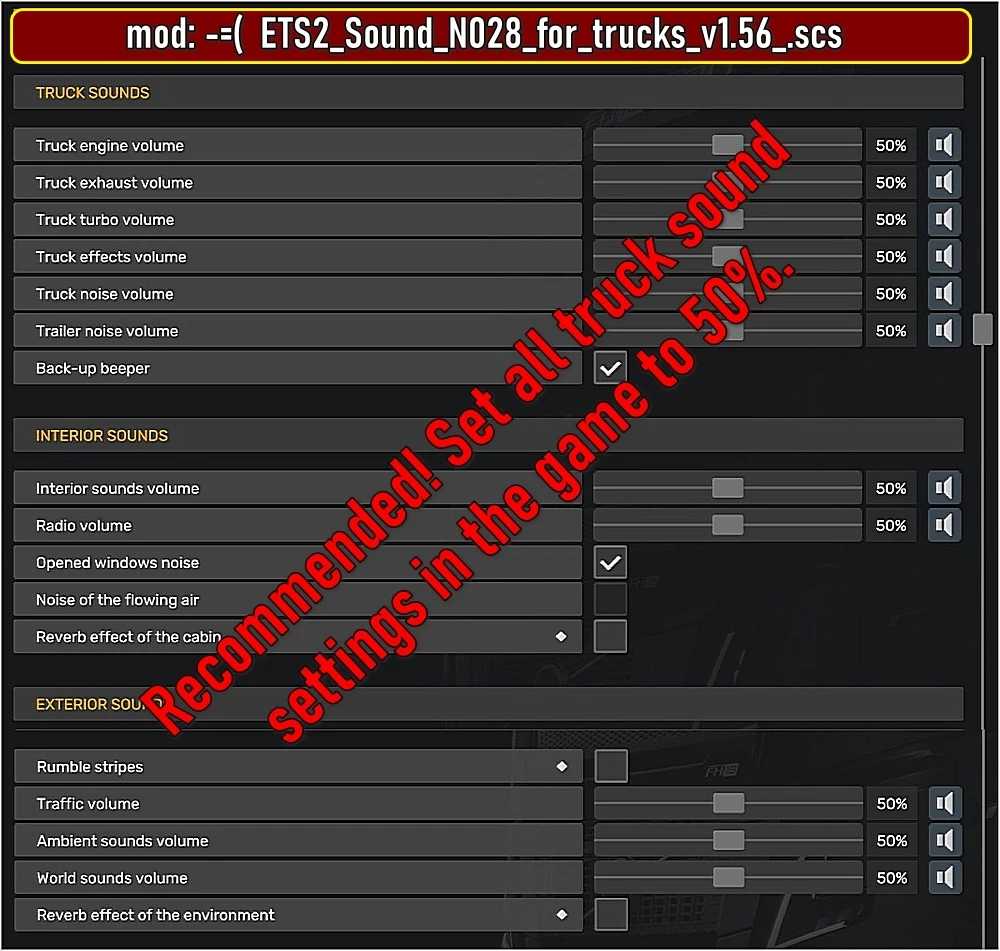
It is recommended to set all truck sound settings in the game to 50%.
IMPORTANT! This mod does not affect the gameplay.
You can use this sound mod at any time by exiting the game, enabling/disabling or replacing the mod, and then continuing your game.
To function correctly, you may use any single mod from this series.
Credits: bobo58
How to Install ETS2 or ATS Mods:
Adding mods in Euro Truck Simulator 2 is simple. Download the mod, then copy/unzip the files into: “My Documents\Euro Truck Simulator 2\mod” folder. For American Truck Simulator (ATS), place mods in: “My Documents\American Truck Simulator\mod” folder. Use WinRAR or 7zip to unzip files. After that, activate the mods you want to use.