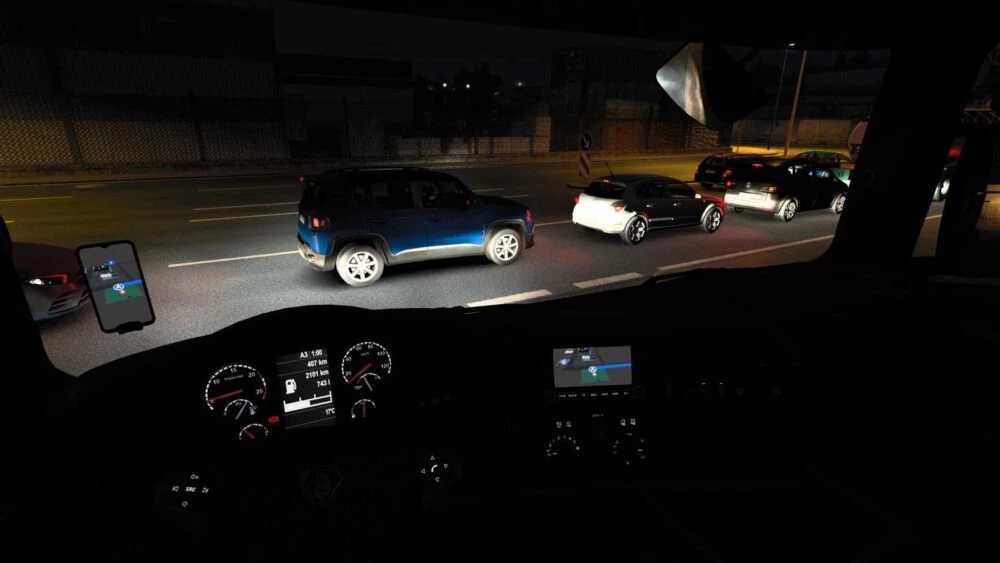
Apple Maps Navigation 1.56 for ETS2
Updates:
– Compatibility update for game version 1.56
Features:
– Choice of light and dark themes with various backgrounds:
– Blue navigation paths
– Icons styled like Apple’s map design
– New road sign icons in Apple’s aesthetic
– Updated background and road colors typical of your iPhone (interior background only, not in Route Advisor)
To enhance realism, navigation path arrows have been disabled.
Credits: Lism
Installation guide for ETS2 and ATS Mods
Installing mods in Euro Truck Simulator 2 is straightforward. Simply download the mod from here, and place/unzip the files into the “My Documents\Euro Truck Simulator 2\mod” folder. For American Truck Simulator, the mods should go into the “My Documents\American Truck Simulator\mod” folder. You can use tools like WinRAR or 7zip to unzip files. Once done, activate the mods you wish to use.