Volvo Custom Chrome Parts v1.56 ETS2
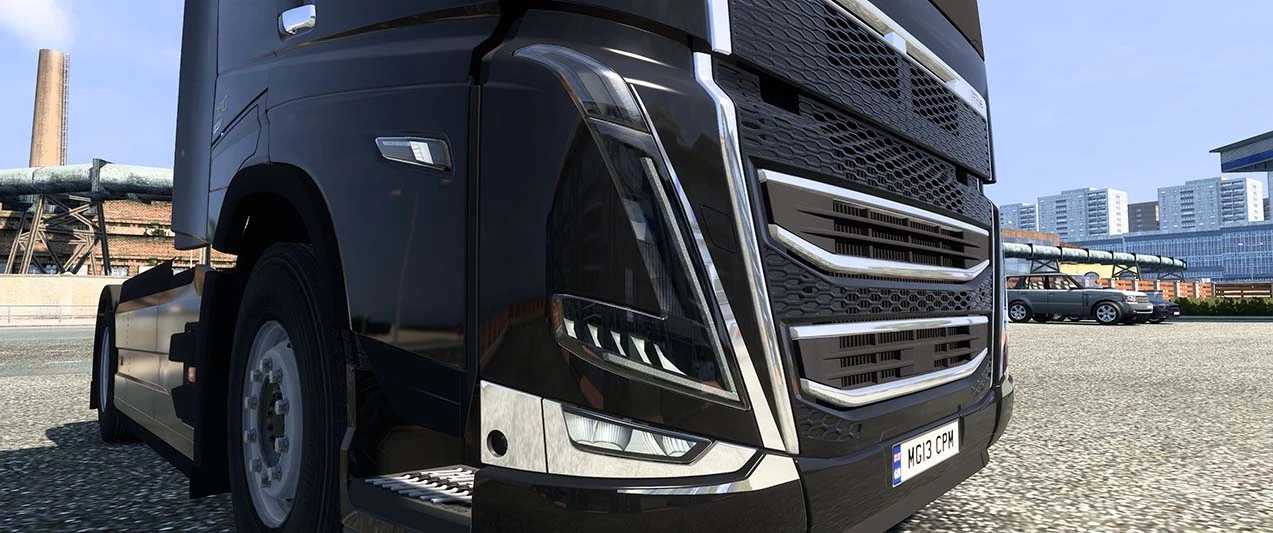
Enhance your Volvo with custom chrome components.
Includes front intake and lights, both painted and chrome options, along with genuine and chrome variants.
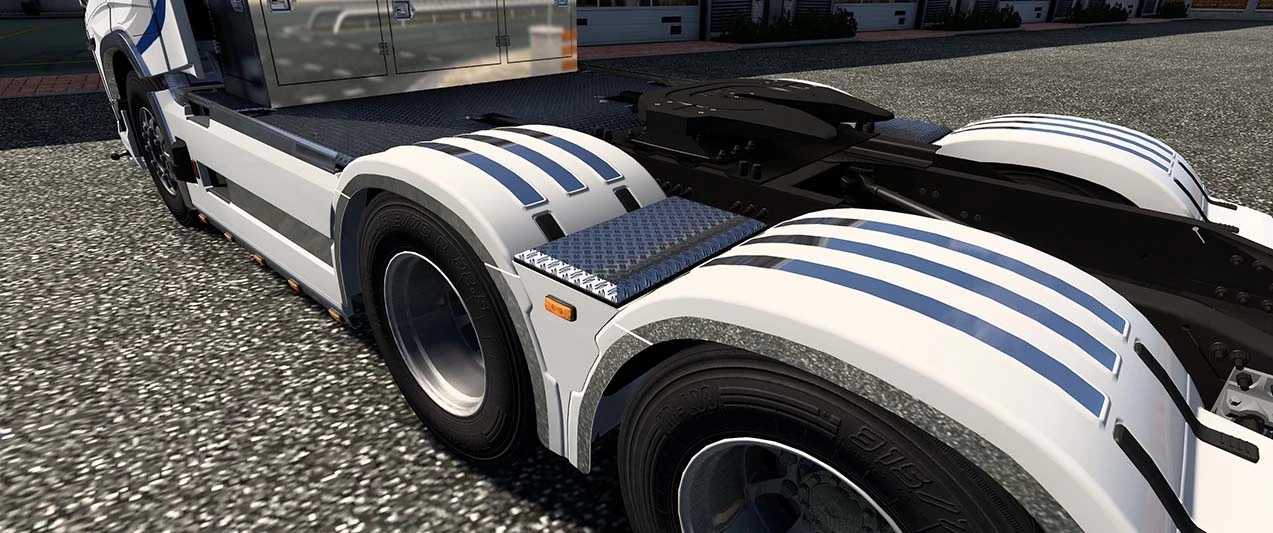
Chassis cover (striped, Thor) available in polished chrome.
As a bonus, receive the Volvo LED emblem.
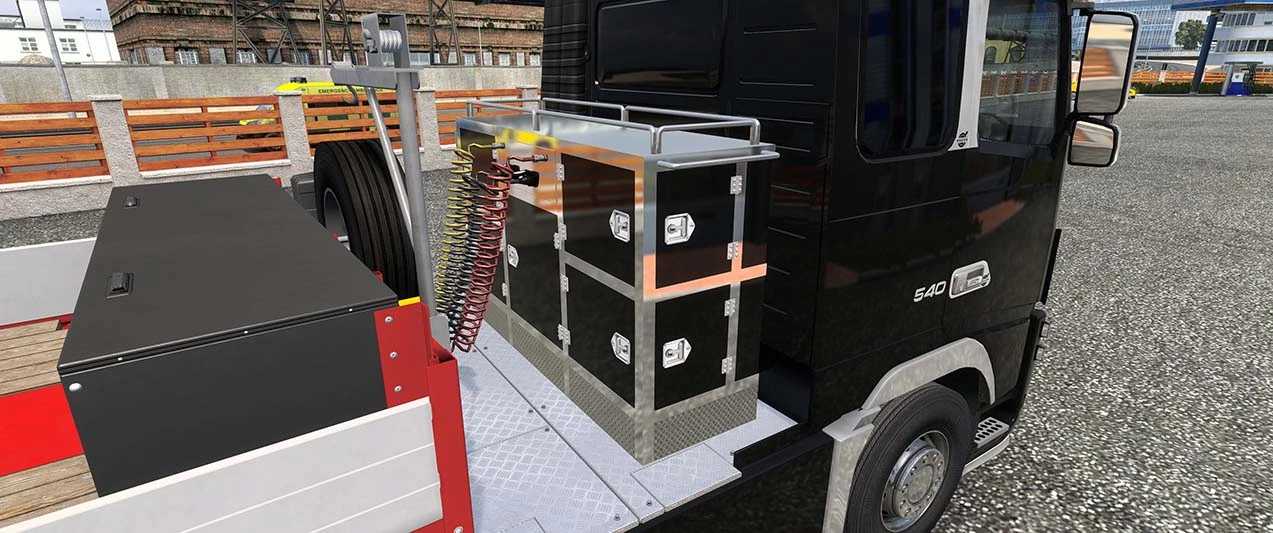
Features such as the Toolbox on the front side mirror for the FH3 chrome variant, and various exhaust toolkit options for FH3~FH6 for specific configurations.
Ensure compatibility with your trailer.
Chrome Specifications
Features side skirts for FH5 and FH6, along with multiple custom chrome patterns available for various FH3~6 models. Upgrades include bumpers, fenders, and additional chrome details for an enhanced visual appeal.
Includes several options for exhausts, sunshields, and more to boost your Volvo’s aesthetic.
Volvo FH Tuning Pack, HS-Schoch Tuning Pack
– Compatible with Volvo FH3, FH4, FH5, and FH6.
Accessory List:
acc_list[]: “exhaust_m.toolbox_01”
acc_list[]: “exhaust_m.toolbox_06”
acc_list[]: “sideskirt.chrome_4xs1”
acc_list[]: “sideskirt.chrome_6xs1”
acc_list[]: “sunshld.dual_ch_c”
acc_list[]: “sunshld.dual_ch_cl”
acc_list[]: “sunshld.dual_ch_l”
acc_list[]: “sunshld.dual_ch_t”
acc_list[]: “sunshld.dual_ch_tc”
acc_list[]: “sunshld.dual_ch_tcl”
acc_list[]: “sunshld.quat_ch_l”
acc_list[]: “sunshld.quat_ch_t”
acc_list[]: “sunshld.quat_ch_tl”
acc_list[]: “r_fender.paint_chp6x”
acc_list[]: “r_fender.paint_chp6x2”
acc_list[]: “r_fender.paint_ch4x”
acc_list[]: “r_fender.paint_ch6x”
acc_list[]: “r_fender.paint_ch8x”
acc_list[]: “r_fendr_top.chrome_ps_4x”
acc_list[]: “r_fendr_top.chrome_ps_6x”
acc_list[]: “r_fendr_top.chrome_ps_8x”
acc_list[]: “r_bumper.p_chbar1”
acc_list[]: “r_bumper.p_chbar2”
Credits: kuramochia
Installing ETS2 or ATS Mods
Installing mods for Euro Truck Simulator 2 is straightforward. Simply download the mod from this page, extract the files into your “My Documents\Euro Truck Simulator 2\mod” folder. For American Truck Simulator, place them in “My Documents\American Truck Simulator\mod” folder. Use tools like WinRAR or 7zip for extraction. Activate your chosen mods afterward.