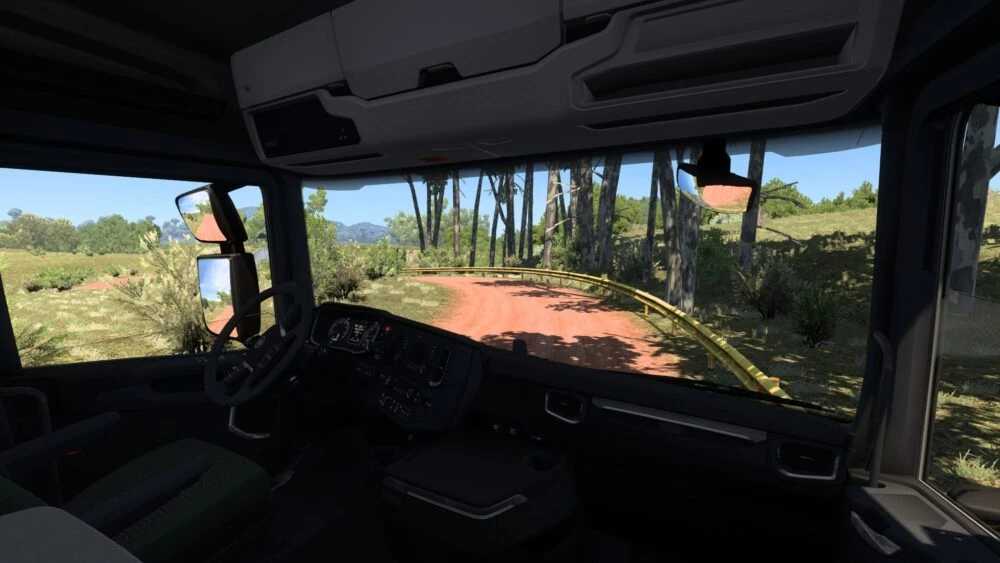
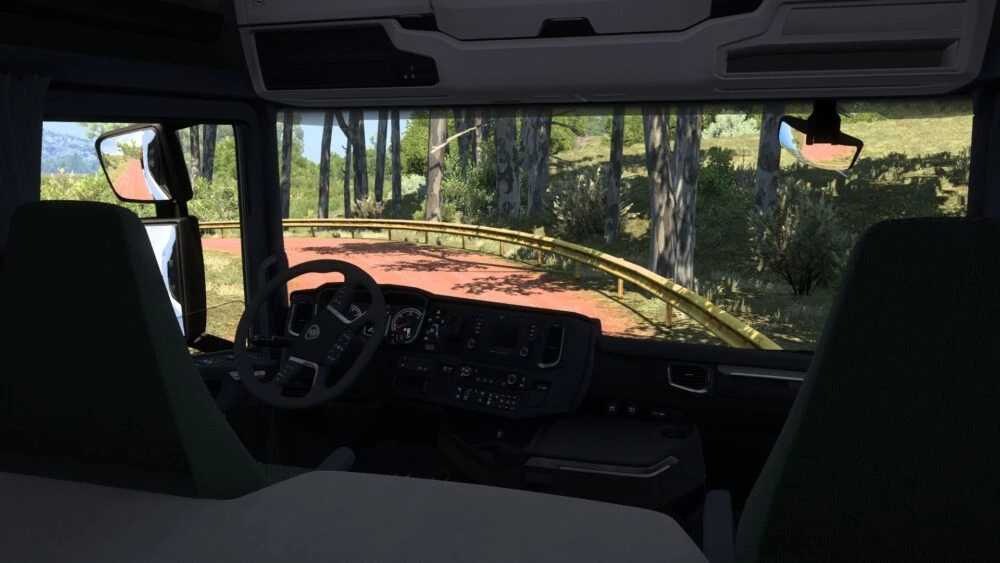
Seat Adjustments No Limits v0.5 ETS2
This modification eliminates the default seat movement restrictions in Euro Truck Simulator 2, enabling you to fully customize your camera position inside the cabin.
Adjust the seat in any direction — forward, backward, up, down, or even beyond the original boundaries — granting you complete control over your view.
This is especially beneficial for players who enjoy capturing cinematic screenshots, setting up realistic driving environments, or producing creative in-cabin videos.
With this mod, you can thoroughly explore every corner of your truck’s interior and discover the perfect angle for immersion or recording.
Features:
— Eliminates seat adjustment limitations
— Full camera freedom within the cabin
— Ideal for cinematic shots and videos
— Compatible with all trucks in ETS2
Compatible with versions 1.55 – 1.56x
Credits: Smokzda
How to install ETS2 mods or ATS Mods
Installing mods for Euro Truck Simulator 2 is straightforward. Simply download the mod, then copy/unzip the files into the “My Documents\Euro Truck Simulator 2\mod” folder. If you’re playing ATS, place the mods in the “My Documents\American Truck Simulator\mod” folder. To unzip files, you can use WinRAR or 7zip. Afterwards, remember to activate the desired mods you wish to use.