Audi R8 V10 plus (Type 4S) v1.0 ETS2
A naturally aspirated V10 right behind your head, quattro all-wheel drive and a redline at 8,700 rpm – the R8 is the last of its kind.
This mod brings the V10 plus to ETS2 with real figures, its own sound and a full configurator.
Drivetrain
5.2 FSI V10, naturally aspirated: 610 hp (449 kW), 560 Nm
7-speed S tronic dual-clutch transmission
quattro all-wheel drive
20″ tyres, 245/30 front and 305/30 rear
Own realistic V10 sound, plus own indicator and wiper sounds
Ignition chime in the cockpit and reverse gear beep
Driving
Tuned tyre grip, suspension and steering
Exterior
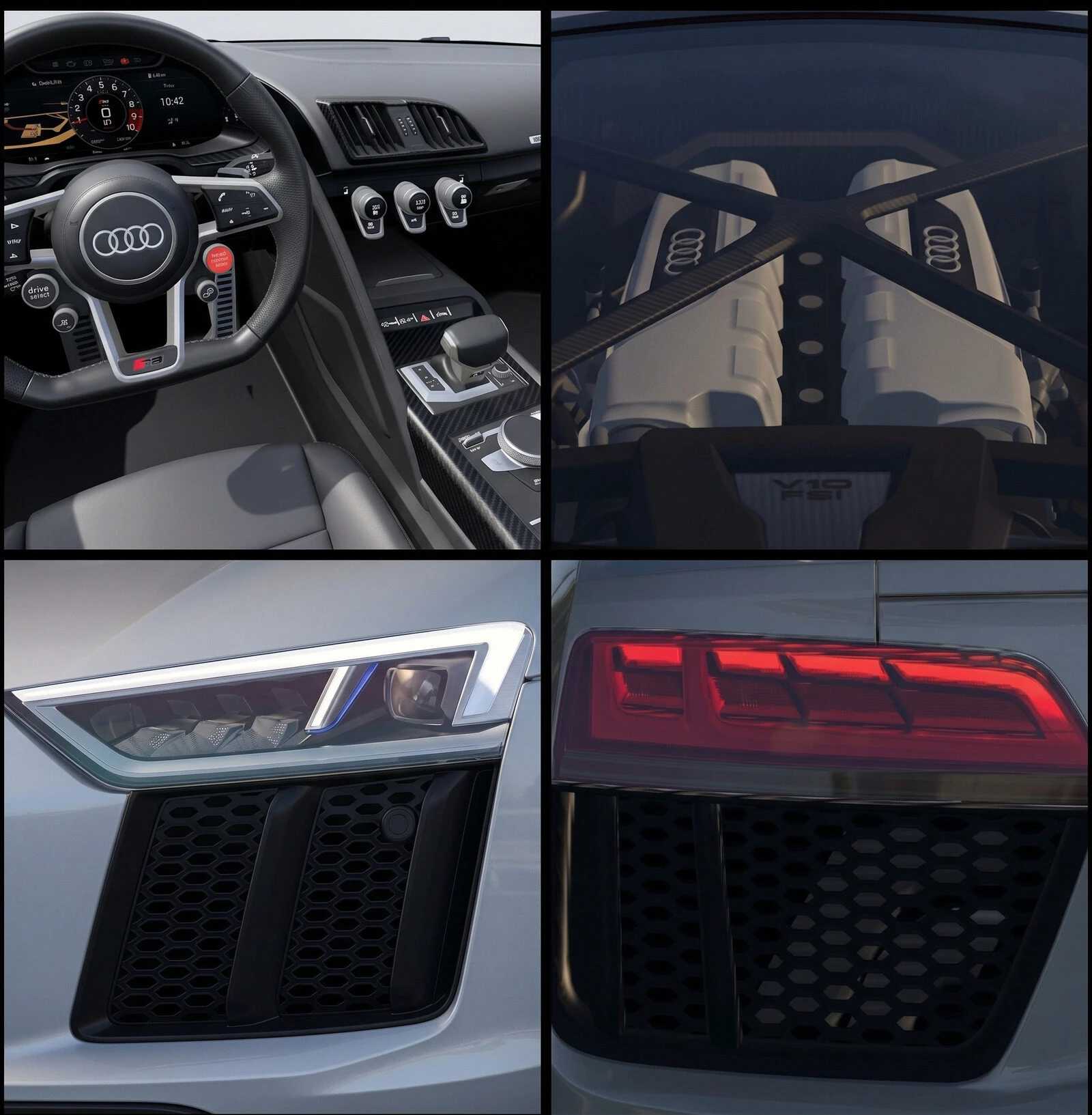
LED headlights, LED tail lights with running indicators
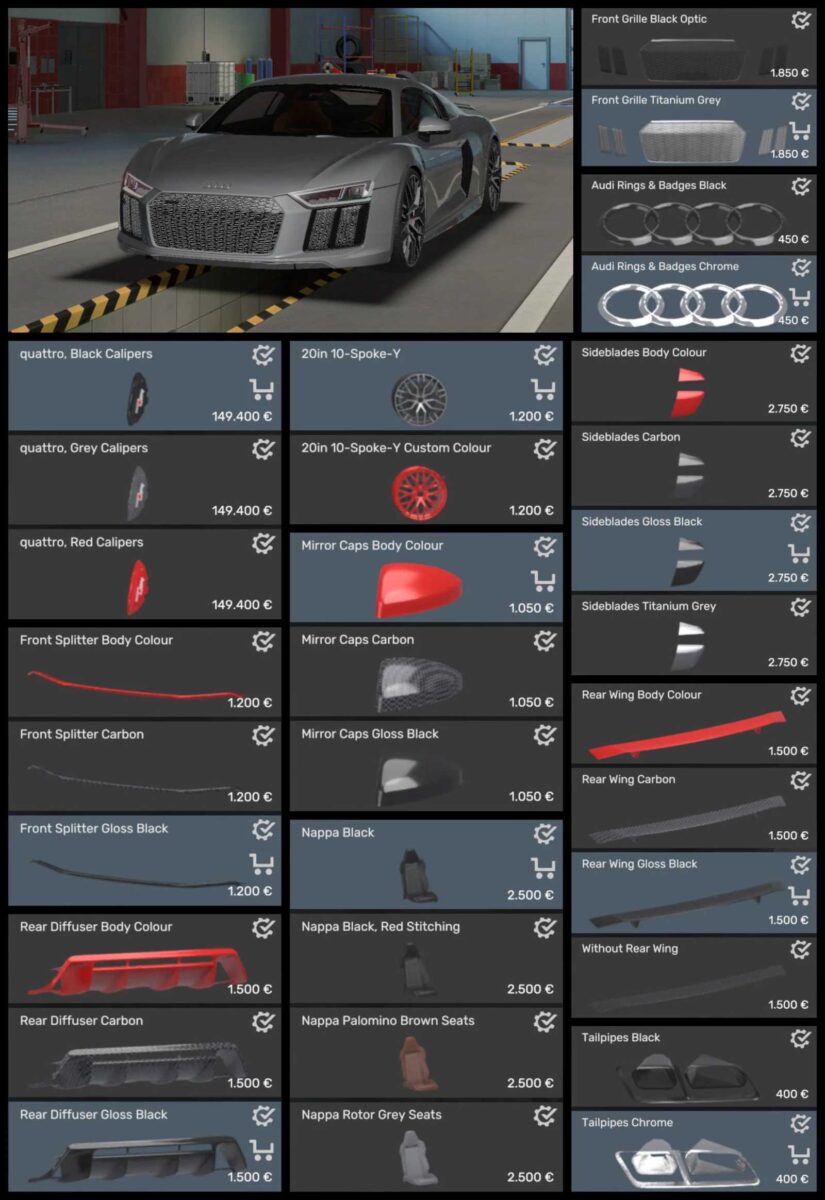
Configurator parts: front grille, sideblades, mirror caps, rings/logo, exhaust tips, rear wing, front and rear bumper trims
20″ 10-spoke-Y wheels, standard or in a custom colour
Brake calipers in black, grey or red
Animated wipers, openable windows, working mirrors
13 original Audi colours plus custom solid and metallic colours
Interior
4 Nappa leather variants: Black, Black with red stitching, Rotor Grey, Palomino Brown
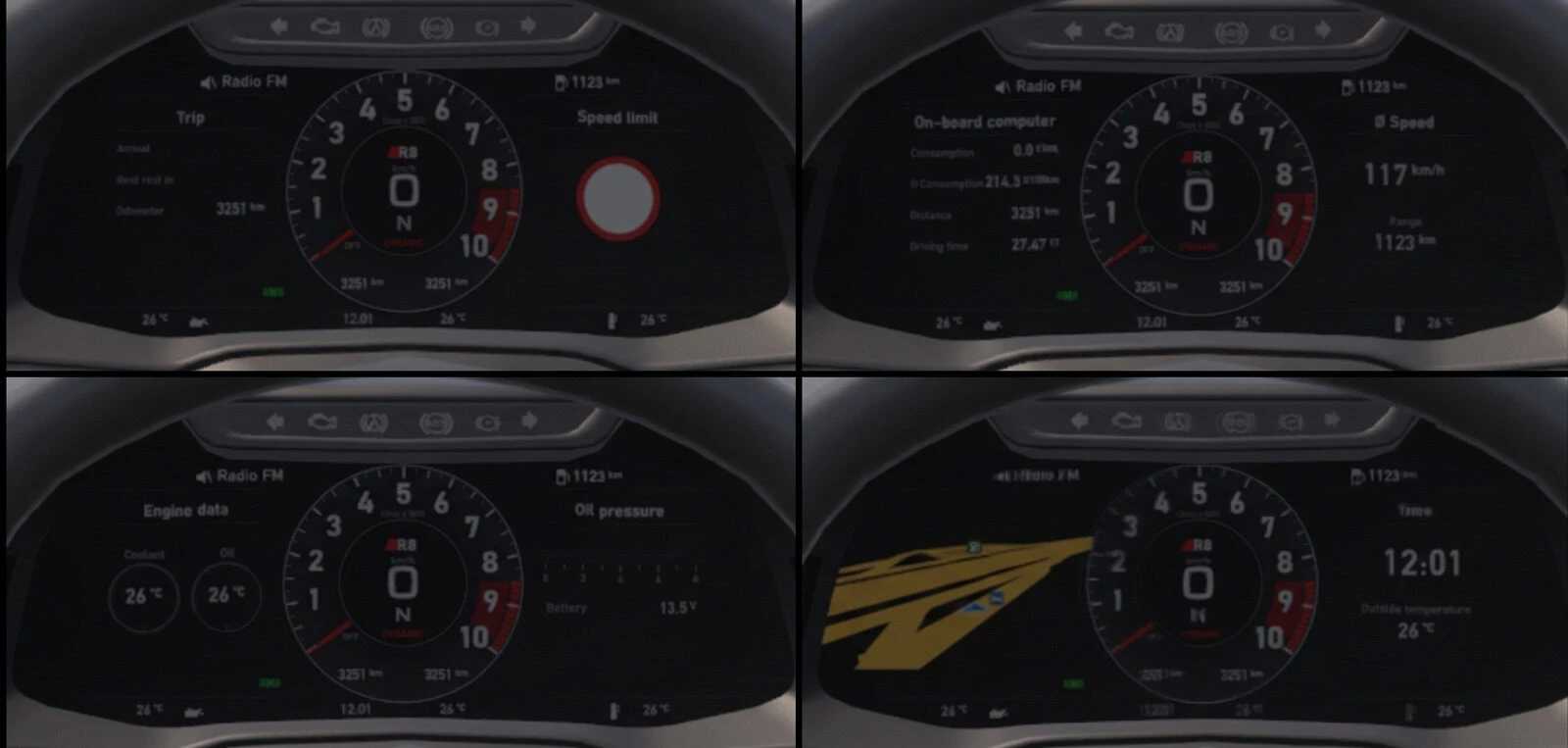
Audi virtual cockpit with several display pages
Animated steering wheel, stalks and gear lever
Recommended: physics_stability_fix plugin (optional)
At high speeds the car can sometimes kick sideways. This is a bug in the game’s physics that a mod can’t fix. The small physics_stability_fix plugin makes the R8 noticeably more stable at top speed.
Credits: carbon901, Deppelover
How to install ETS2 mods or ATS Mods
In Euro Truck Simulator 2 it’s easy to install mods. You just need to download mod from here, copy/unzip files into: “My Documents\Euro Truck Simulator 2\mod” folder or if you play ATS please install mods to: “My Documents\American Truck Simulator\mod” folder. To unzip files you can use: WinRAR or 7zip. After that you need to activate the mods you want to use.