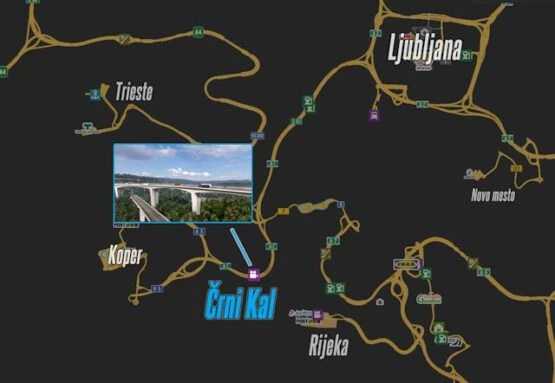
Črni Kal 1.1 (Koper + A1 Rework) 1.56 ETS2
Previously, this segment of Slovenia was characterized by a tedious tunnel experience, missing out on the authentic journey along Slovenia’s A1 motorway.
Thanks to a collaborative effort between the mappers of HungaRebuild and the well-known Project Balkans mod, this iconic location has been accurately recreated as a ProMods add-on.
Changelog 1.1:
– Introduction of realistic pillars for the Črni Kal Viaduct by Indian56
– Reskin of A1 Highway and Koper (Me)
– New area and garage in Koper (Grega)
– Overhauled sections of Koper (Grega)
– Enhanced interchanges of A1 (Grega)
– Various bug fixes
Credits: Kispál Marcell, Grega1495, Indian56
How to install ETS2 mods or ATS Mods
Installing mods in Euro Truck Simulator 2 is a straightforward process. Simply download the mod from here and place/unzip the files into the “My Documents\Euro Truck Simulator 2\mod” directory. For American Truck Simulator, use the “My Documents\American Truck Simulator\mod” folder. To extract files, you can use tools like WinRAR or 7zip. After unzipping, remember to activate the mods you wish to use.