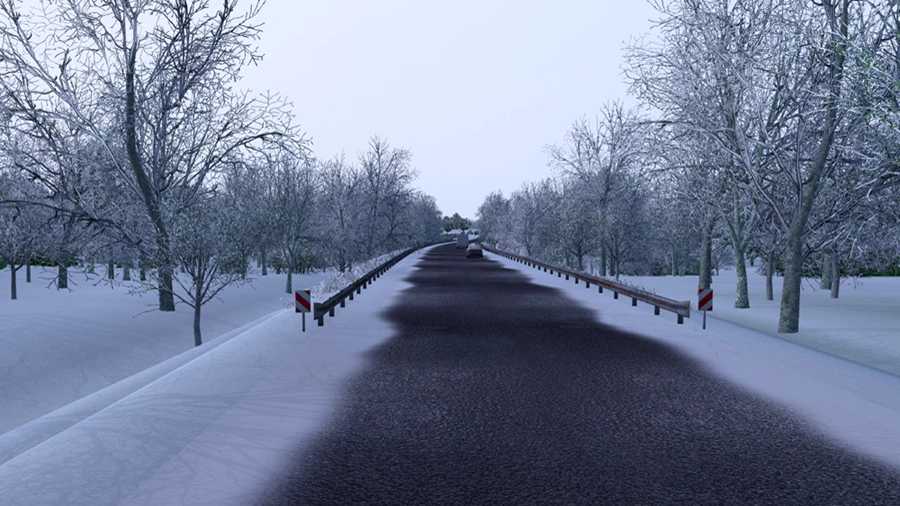
Frosty Winter Weather Mod v10 for ETS2
This high-definition graphics and weather mod brings a winter atmosphere to Euro Truck Simulator 2.
Essential Features
Winter-themed weather and environment
Snow or sleet replaces rain
Enhanced road, field, grass & other textures with higher resolutions
Randomly varying overcast, fog, and sunny conditions
Replaced low-res tree models with detailed high-res versions across maps
Seasonal winter road textures
Adjusted daylight hours and temperatures for winter
Pedestrians dressed in winter attire
Works seamlessly with Promods, Rus Map, Southern Region, and is compatible with all map DLCs.
Compatible Latest Version: ETS2 1.53
Updates in v10
Updated to support version 1.53
Recommended Settings
Set Vegetation Detail to High
Crucial Notice!!
Frosty is designed as a winter weather and graphics mod, and it is incompatible with other weather and graphics mods like RBGW, NaturaLux, Project Next-Gen, etc.
Make sure Frosty is at the top of the Mod Manager.
If you are using any add-ons, place them above Frosty.
Credits: Grimes
Instructions for Installing ETS2 or ATS Mods
Installing mods in Euro Truck Simulator 2 is straightforward. Simply download the mod from this source, and copy/unzip the files into the “My Documents\Euro Truck Simulator 2\mod” folder. For American Truck Simulator (ATS), paste them into the “My Documents\American Truck Simulator\mod” folder. Use tools like WinRAR or 7zip to unzip files. Then, activate the mods you wish to use.