Interior Tuning Pack Belka Accessory 1.56 ETS2
Updates:
– Adapted for game version 1.56
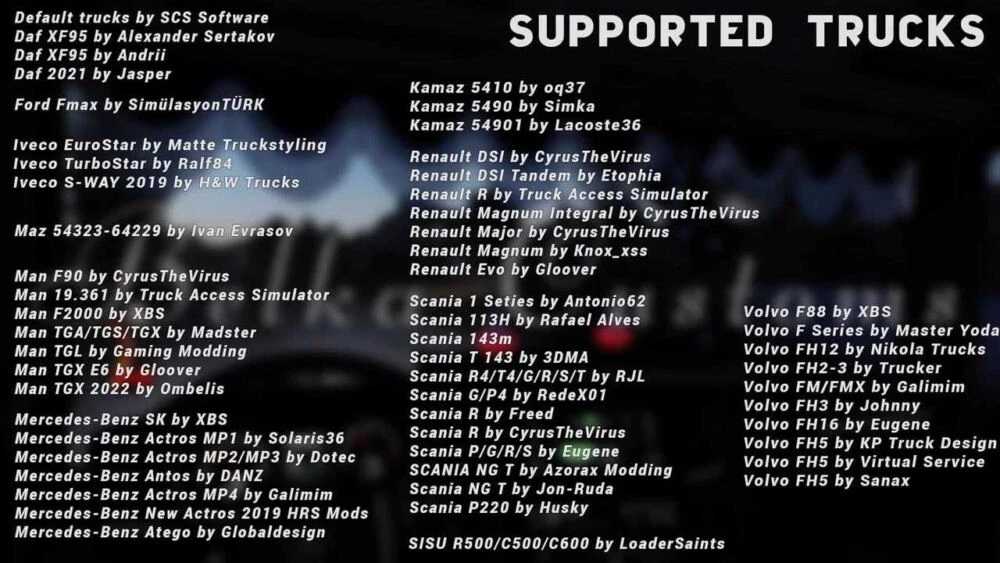
Complete compatibility for the latest version and systems:
– Volvo FH3 2009 Jhonny
– Volvo FH 2012 SCS, removed support for Eugeny’s Rework
– Volvo FH 2021/2024 SCS
– Iveco Sway SCS, removed support for Truck Custom’s Sway
– DAF NG XD/XF/XG + Rework by Jasper
– MAN TGX 2020 SCS
Included items:
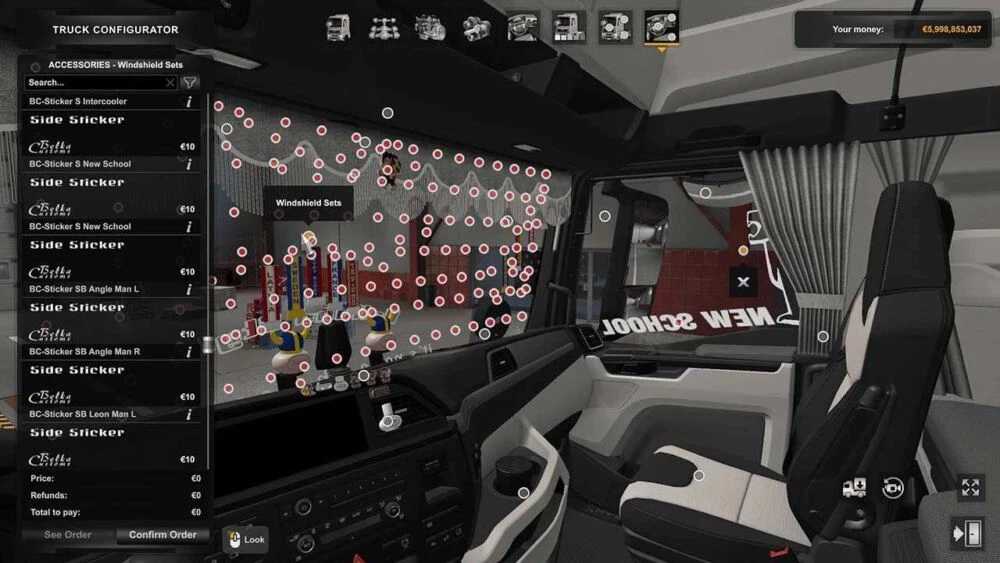
– Tables for trucks
– Stickers for windshield and side windows
– Pins
– Slots for dashboard and windshield mats
– Ambient interior lighting (located in the beacons slot, activated with side markers) + main light (in addition to background lighting + Basic) (controlled via flashing beacons button, default O)
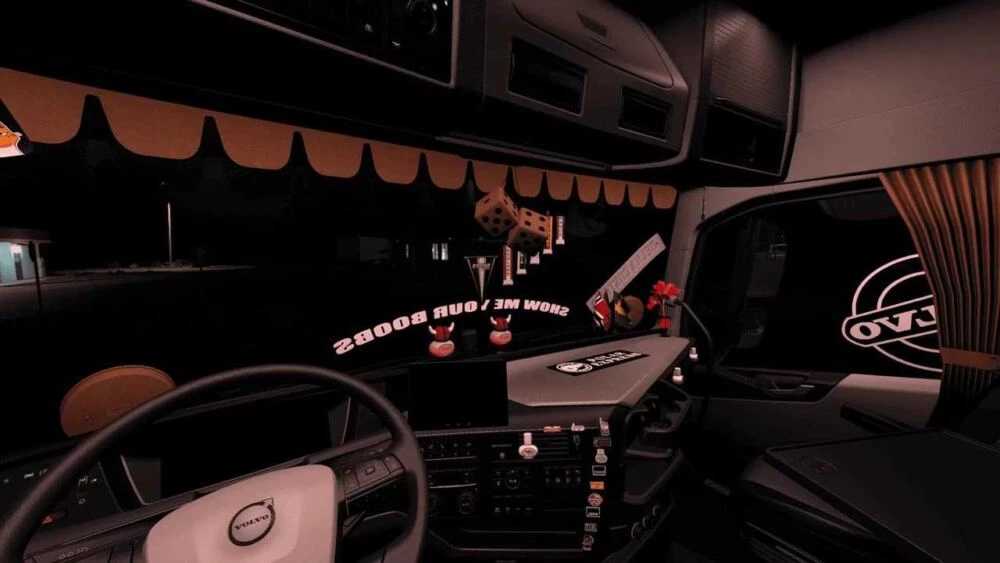
– Side curtains and windshield curtains
– “Poppy” and “Poppy mini” air freshener caps
– Hanging air fresheners: “Poppy,” “Areon,” and more
– “Poppy Mini” air freshener on deflector
– Lightboxes on windows
– Triangle pennants
– “Mini scarf” pennant
– Hanging dice and additional accessories
Credits: Belka647
Instructions for installing ETS2 or ATS Mods
Installing mods in Euro Truck Simulator 2 is straightforward. Simply download the mod from here, and copy or unzip the files into: “My Documents\Euro Truck Simulator 2\mod” folder. For American Truck Simulator users, place the mods in: “My Documents\American Truck Simulator\mod” folder. You can use WinRAR or 7zip to unzip the files. After that, activate the mods you wish to use.