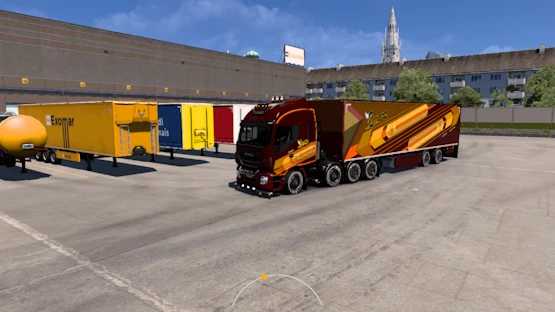
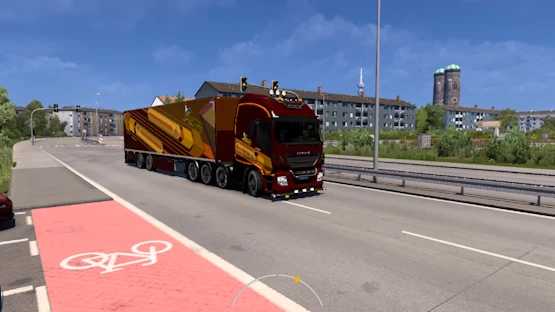
Iveco Hi-Way 8×4 and More v1.0 for ETS2
Hello, everyone!
Please pay close attention.
This highlighted mod boasts the following features:
– An Iveco Hi-Way truck;
– 22 chassis configurations, including various 4×2, 6×4, and 8×4 options;
– A fuel tank capacity of 1600 liters for the 6×4 and 8×4 configurations;
– 20 different engines, including three new ones;
– FNM 700 HP;
– FNM BR 800 HP;
– FNM X 900 HP;
– Enhanced braking systems for all;
– 18 transmission options;
– Numerous new paint designs;
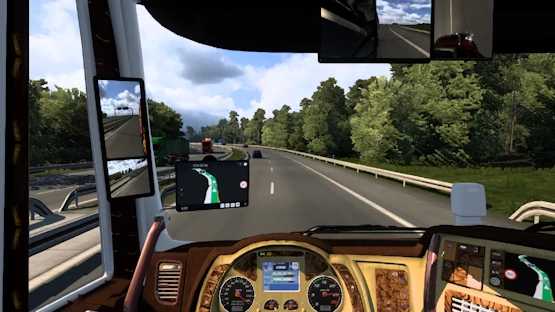
– Internal mirror camera;
– Redesigned dashboard;
– New splash screen;
– Damage data protection system;
– Fresh engine sounds;
– Large, readable navigation and truck info displays;
– Updated player company logos;
– Dead-end road protection system;
– An owner trailer, complete with its skin;
– Special wheels (plenty of them);
– Unique lights;
– Universal fix and English city translation;
– Restoration of the old truck service;
We hope you appreciate our efforts to deliver a quality mod for everyone!
P.S.: Regarding the splash screen—if you aren’t fond of our choice, you can remove it by accessing the mod (it’s openable), locating the “material>ui>loading data” folder, and either deleting it or renaming it with a “0” at the end.
The same can be done for the new company logos by navigating to the “material>ui>player_logo” folder and following the same steps.
Safe travels and enjoy your time!
Credits: – SCS, Schumi, knox_xss, Oscar, Fabry85, Borsuk, piva, Racing, nfshp253, obelihnio, Rafael Alves, Tobrago, Dotec for the truck; – Mvrkvr1n for the “Mvrkvr1n Special Lights Compilation” and “Mvrkvr1n Special Wheels Pack”; – kworey for “Universal Fix and Translation”; – The Jetz Stream for “JTS HD JPS”; – YigitE for “Powerful Transmission”; – Baldy09 for “Restore Old Trucks”; – Brvs1nhv for this compilation, engines, skins, trailer, and various other contributions.
Installation Instructions for ETS2 or ATS Mods
Installing mods in Euro Truck Simulator 2 is straightforward. Simply download the mod from the link, copy/unzip the files into the “My Documents\Euro Truck Simulator 2\mod” folder or, if playing ATS, place them in the “My Documents\American Truck Simulator\mod” folder. You can use WinRAR or 7zip to unzip files. Afterward, activate the mods you wish to use.