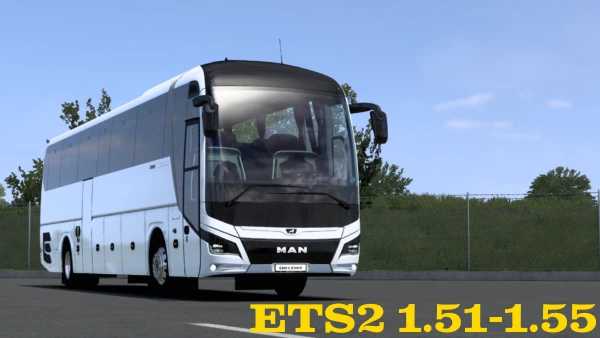
Man Lions Coach 2023 1.50 – 1.55 ETS2
v1.0 Update Notes:
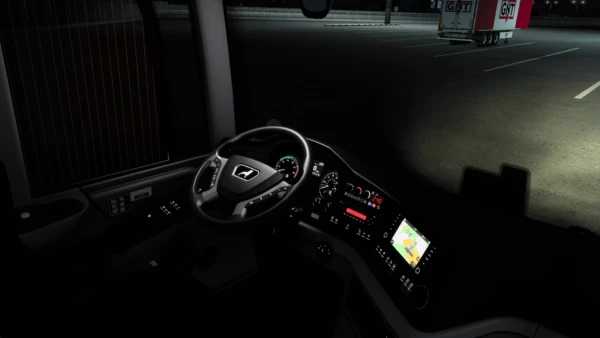
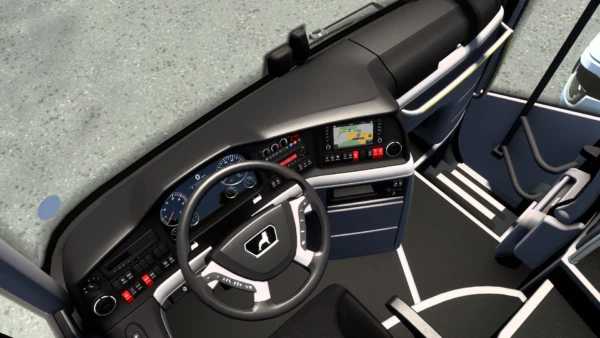
Digital tachograph
Skin template
Metallic paint support
Authentic engine sounds
Original retarder sounds
Customizable digital signage (3 pieces: front, back, and side)
Cockpit flag customization
Custom suction cup sign
Flashing light system (requires additional mod)
Reverse camera available
Middle door camera added
Various seat covering options
Multiple floor styles
Various cabin interior light options
Customizable vehicle surrounds in piano black
Options for interior steering wheel customization
Driver lights (standard included)
Add-ons for vehicle top swallow and neta satellite antenna
Front snow cover for the vehicle
v1.1 Update Notes:
Bug fixes
Shadow enhancements
v1.2 Update Notes:
Improvements to vehicle ground shadows.
New sliding sign system (interior reflections active).
Interior shadow support included.
Rear tow bar add-on implemented.
Chrome lion pattern for rear side windows added.
Chrome lion man pattern for rear window added.
Updated color palette for interior passenger lights.
Enhanced color palette and reflections for driver lighting.
Additional engine sounds implemented.
Updated bellows sounds.
Tachograph speed limit warning (visual alert when exceeding 99 km/h).
Credits: oyuncuyusbis.com
How to Install ETS2 or ATS Mods
Installing mods for Euro Truck Simulator 2 is straightforward. Simply download the mod from the link, then copy/unzip files into your “My Documents\Euro Truck Simulator 2\mod” folder. For American Truck Simulator, use the “My Documents\American Truck Simulator\mod” folder. You can use tools like WinRAR or 7zip to unzip files. After unzipping, activate the mods you wish to use in the game.