Painted Trux Highway for Scania Next Gen S/R 1.56 ETS2
Updates:
– Compatible with the 1.56 game version
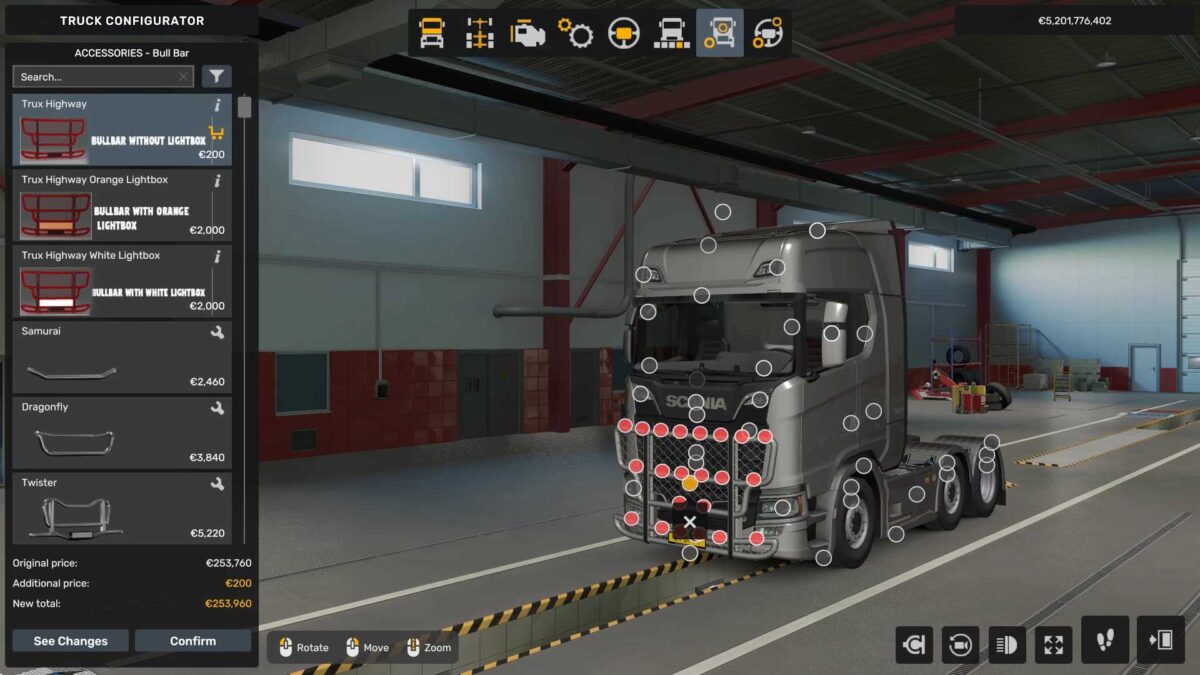
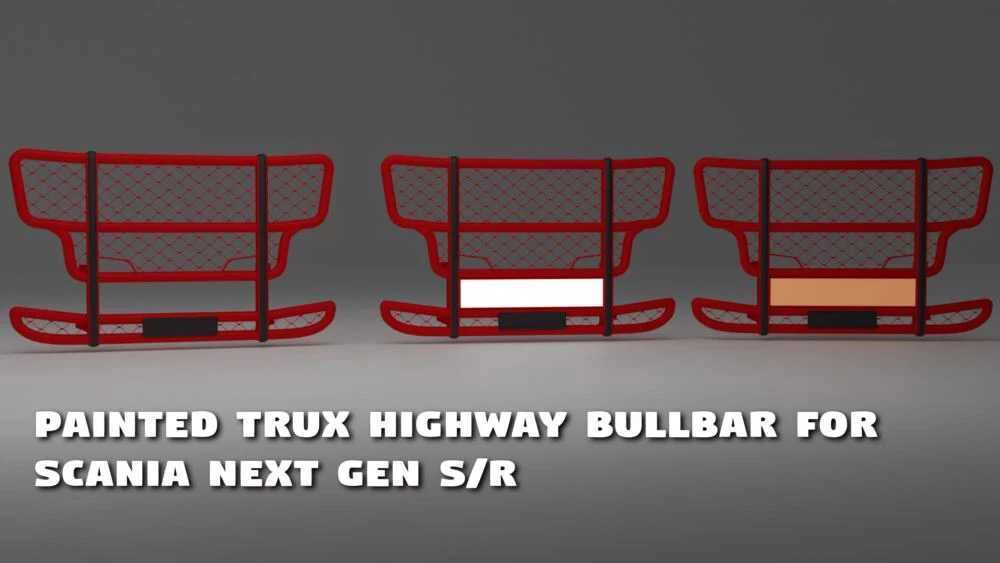
Bullbar Options:
– Trux Highway Without Lightbox
– Trux Highway Featuring White Lightbox [Lightmask]
– Trux Highway Featuring Orange Lightbox [Lightmask]
Editable Template for Numberplate & Boxlight
Credits: Harsha Customs
Installation Guide for ETS2 or ATS Mods
To install mods in Euro Truck Simulator 2, simply download the mod from here and copy/unzip the files into: “My Documents\Euro Truck Simulator 2\mod” folder. For American Truck Simulator, place the mods in: “My Documents\American Truck Simulator\mod” folder. You can use WinRAR or 7zip to unzip files. After that, ensure you activate the mods you wish to use.