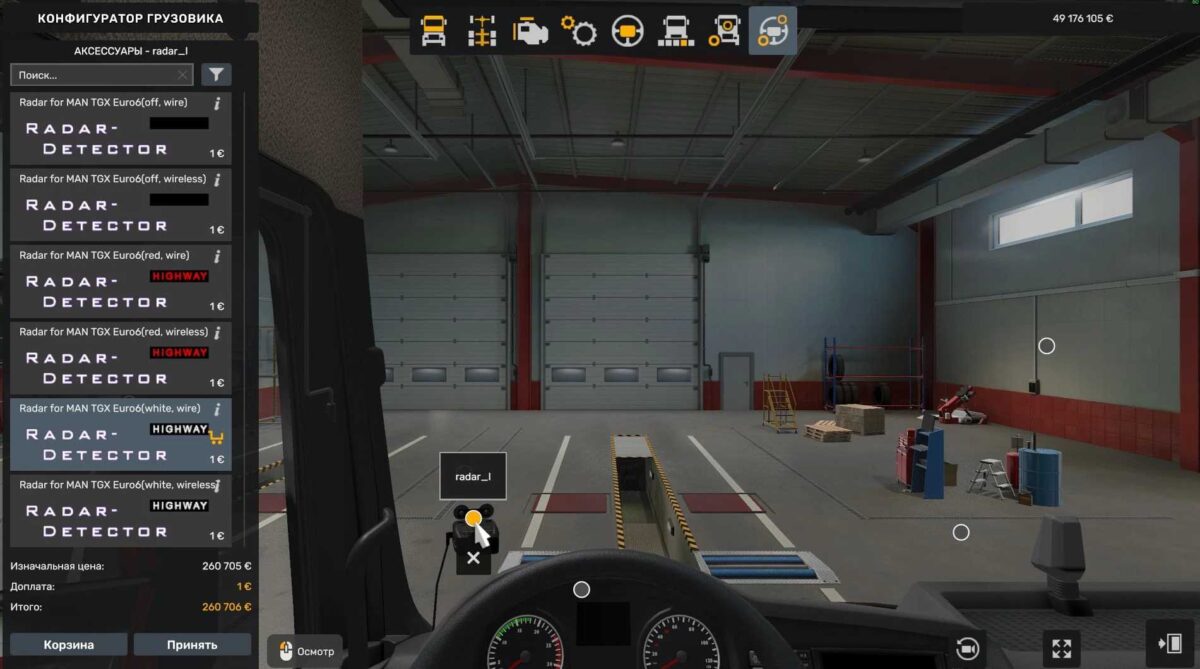
Radar-Detector v2.1.4 for ETS2
This device is mounted on the windshield;
Offers numerous options to select from;
Alerts users about radar operations when nearing speed cameras;
No fines for police vehicles;
Includes voice alerts for terminal passages;
Voice notifications for accidents are added;
Notifies of detours;
Alerts approaching railway crossings;
Voice warnings for roadwork have been included;
Compatible with the standard map and all DLC maps;
Supports multiple languages;
Radar volume can be adjusted via the Music Volume slider in sound settings;
All speed camera models feature a red flash.
ProMods support has been added.
Credits: Garage-j1
Installation Instructions for ETS2 or ATS Mods
Installing mods in Euro Truck Simulator 2 is straightforward. Simply download the mod from here and then copy/unzip the files into: “My Documents\Euro Truck Simulator 2\mod” folder. If you are playing ATS, place mods in: “My Documents\American Truck Simulator\mod” folder. For unzipping files, you can use either WinRAR or 7zip. Once done, you will need to activate the mods you wish to use.