Scania Custom Chrome Parts v1.56 for ETS2
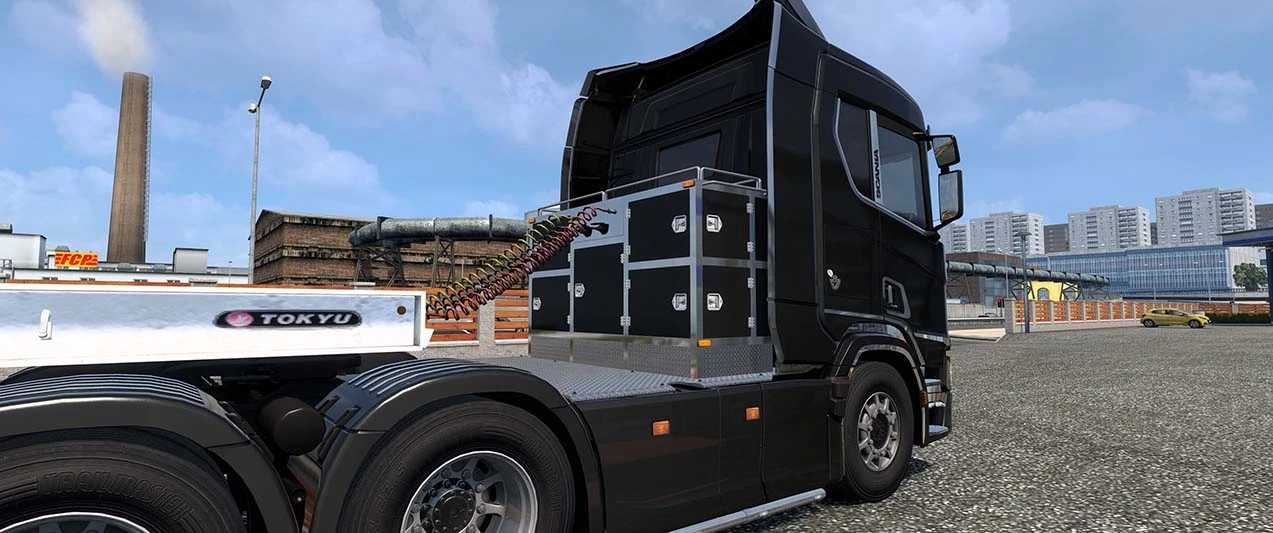
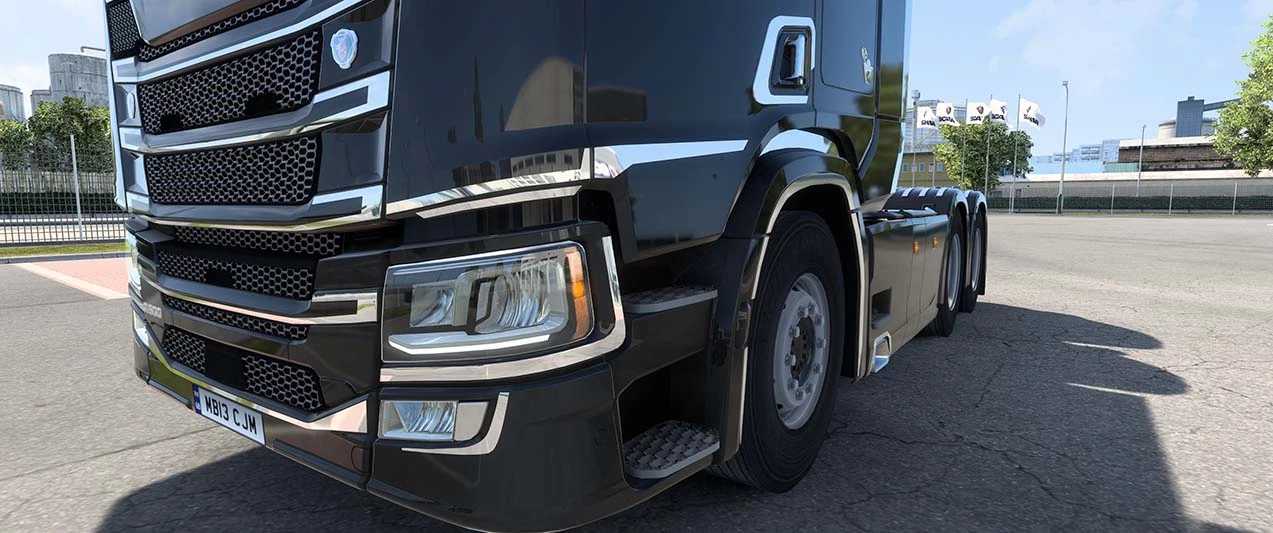
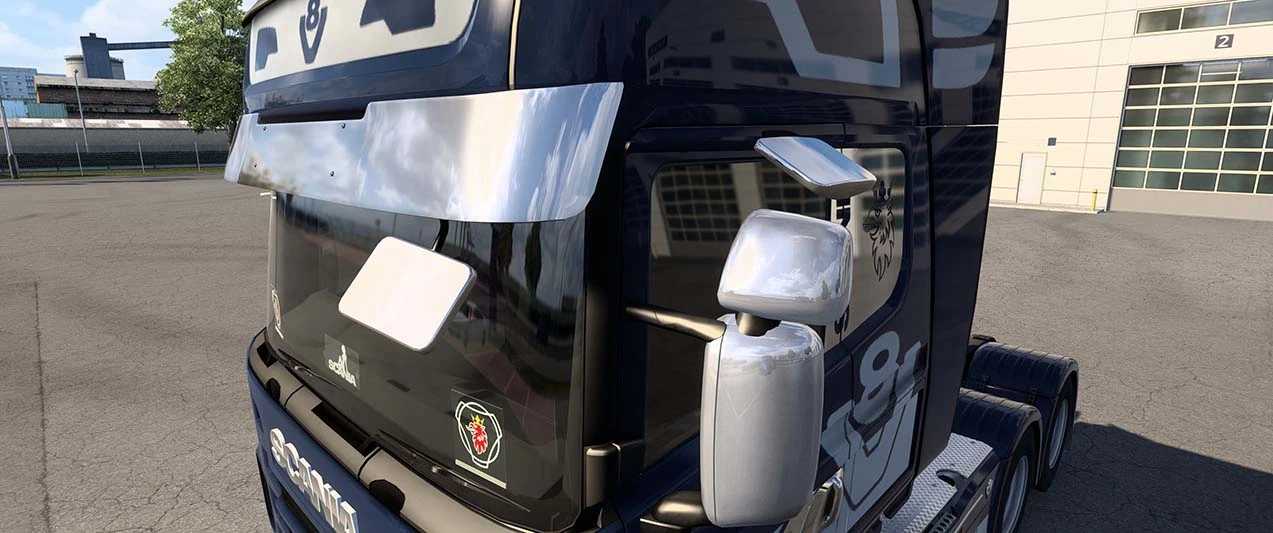
Enhance your Scania 2016 S/R and 2009 R/Streamline models with both painted and stainless steel options.
2016 S/R Compatible Parts Include:
– Front Bumper
– Side Skirt
– Front Window Frame
– Sun Shield
– Ribbed Front Mask
– Roof Light (with rooflight and cabin top, chrome band)
– Front Logo (chrome mask on the front side)
– LED Front Logo Version (White/Blue)
– Flo LED Version with NTO Badge (White/Blue) / Window Trim (chrome cover on wings, chrome cover on rear logo, High cab only)
– Door Handles (with chrome parts on the lower door and top of headlights)
– Front Fenders
– Headlights
– Rear Fenders (with top and side chrome lines, 6x4L only, includes inner fenders)
– Front Mask with Door Steers
– LED Frame in Center of Front Window, Driver Plate, Co-Driver Plate with Scania Emblem LED Colour, Chrome (Polished) Chassis Cover (striped plate, Thor), Toolbox on Exhaust_m (available for 6×4 chassis, for 16 low floor wheels, low loader)
– Small Toolbox can be mounted on chassis other than 4×2 and 8×4, ensure no contact with trailer.
trlr_cables can include chrome covers.
Added slots for stickers on the front grille guard (c_grill).
Added r_bumper bar (paint, matte) to r_mudflup.
Mighty Griffin & Paint, Razor & Paint added to the front grille.
Door visor added to flag_l and flag_r. 2009 R/Streamline Compatible Parts: LED frame in center of front window, driver plate, co-driver plate, Scania emblem LED colour, chrome (polished) chassis cover (striped plate, Thor), chrome (polished) version, front mirror, side mirror, front badge LED version (White/Blue).
Paint and chrome versions available for front mask (plus, LED version with logo (White/Blue)).
Slots-only option available on front grille; chrome parts around lights and front grille guard air intakes, slots for stickers.
Chrome versions for door steps, door step cover, and front fender cover.
Chrome steps with side skirts and chrome parts on the top of the rear fender.
2016 S/R Accessory List:
acc_list[]: “sunshld.ss_05_c1”
acc_list[]: “sunshld.ss_05_c2”
acc_list[]: “sunshld.ss_05_c3”
acc_list[]: “sunshld.ss_06_c1”
acc_list[]: “sunshld.ss_06_c2”
acc_list[]: “sunshld.ss_06_c3”
acc_list[]: “sideskirt.4x2_p_c_1”
acc_list[]: “sideskirt.4x2_p_c_2”
acc_list[]: “sideskirt.4x2_p_c_v8”
acc_list[]: “sideskirt.4x2_p_c”
acc_list[]: “sideskirt.6x2_p_c_1”
acc_list[]: “sideskirt.6x2_p_c_2”
acc_list[]: “sideskirt.6x2_p_c_v8”
acc_list[]: “sideskirt.6x2_p_c”
acc_list[]: “sideskirt.6x2l_p_c_1”
acc_list[]: “sideskirt.6x2l_p_c_2”
acc_list[]: “sideskirt.6x2l_p_c_v8”
acc_list[]: “sideskirt.6x2l_p_c”
acc_list[]: “r_fender.4x2_p_c”
acc_list[]: “r_fender.6x2_p_c”
acc_list[]: “r_fender.6x2l_p_c”
acc_list[]: “r_fender.8x4_p_c”
acc_list[]: “r_fender.4x2_p_c2”
acc_list[]: “r_fender.6x2_p_c2”
acc_list[]: “r_fender.6x2l_p_c2”
acc_list[]: “r_fender.8x4_p_c2”
acc_list[]: “r_fender.6x2l_p_c_p1”
acc_list[]: “r_fender.6x2l_p_c_p2”
acc_list[]: “exhaust_m.toolbox_01”
acc_list[]: “exhaust_m.toolbox_06”
acc_list[]: “f_logo.paint_l1”
acc_list[]: “f_logo.paint_l2”
acc_list[]: “f_logo.paint_sc1”
acc_list[]: “f_logo.paint_sc2”
acc_list[]: “f_logo.paint_sc3”
acc_list[]: “f_logo.pt_sc1l1”
acc_list[]: “f_logo.pt_sc1l2”
acc_list[]: “f_logo.pt_sc2l1”
acc_list[]: “f_logo.pt_sc2l2”
acc_list[]: “f_logo.pt_sc3l1”
acc_list[]: “f_logo.pt_sc3l2”
Credits: kuramochia
Installing ETS2 or ATS Mods
Installing mods in Euro Truck Simulator 2 is straightforward. Simply download the mod from the link provided, then copy or unzip the files into: “My Documents\Euro Truck Simulator 2\mod” folder. For American Truck Simulator, place the mods in: “My Documents\American Truck Simulator\mod” folder. You can use WinRAR or 7zip to unzip files. After this, activate the mods you wish to use.