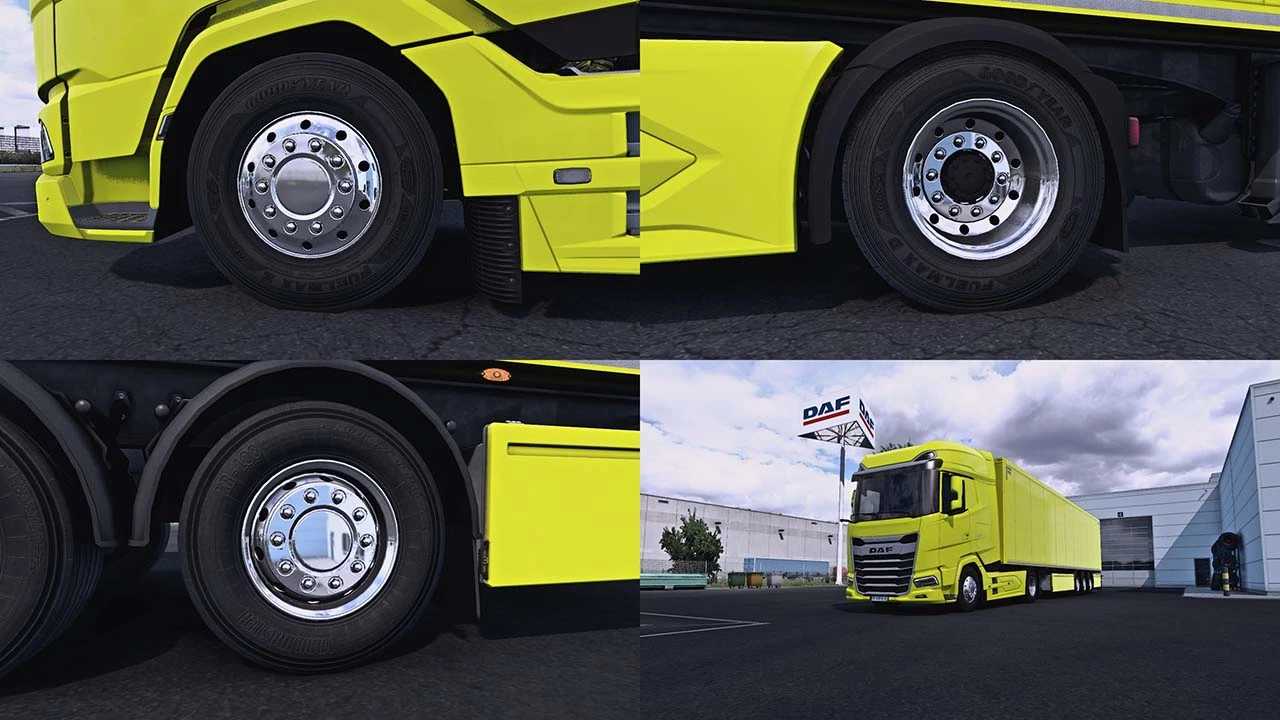
SCS Wheels Rework v1.0.3 for ETS2
This modification enhances the default SCS wheels, updating a total of 125 models.
I selected the most popular and realistic wheels, nuts, hubs, and hub covers for trucks and trailers, refining their material settings for improved aesthetics.
Wheel choices include: 5 front options, 2 rear options, and 5 trailer options available in GLOSS, CHROME, PAINT, and CUSTOM PAINT* varieties.
Nuts options feature: 1 front, 1 rear, and 3 trailer options in GLOSS, CHROME, and PAINT.
Hubs options consist of: 8 front, 5 rear, and 9 trailer variations with MATTE and PAINT finishes.
Hub cover options include: 2 front, 1 rear, and 3 trailer versions with GLOSS, CHROME, and PAINT finishes.
The CUSTOM PAINT wheels allow you to choose one color in-game, while the other color defaults to white. You can alter the color of the white section by editing “vehicle/truck/upgrade/wheel/disc/editabl_texture.dds”.
Updated for the 1.50 game version.
Credits: Albertoequisyezeta
How to Install ETS2 or ATS Mods
Installing mods in Euro Truck Simulator 2 is straightforward. Simply download the mod from here and copy/unzip the files into the “My Documents\Euro Truck Simulator 2\mod” folder. For American Truck Simulator, place the mods in “My Documents\American Truck Simulator\mod” folder. Use WinRAR or 7-Zip to extract the files. After installing, activate the mods you wish to use.