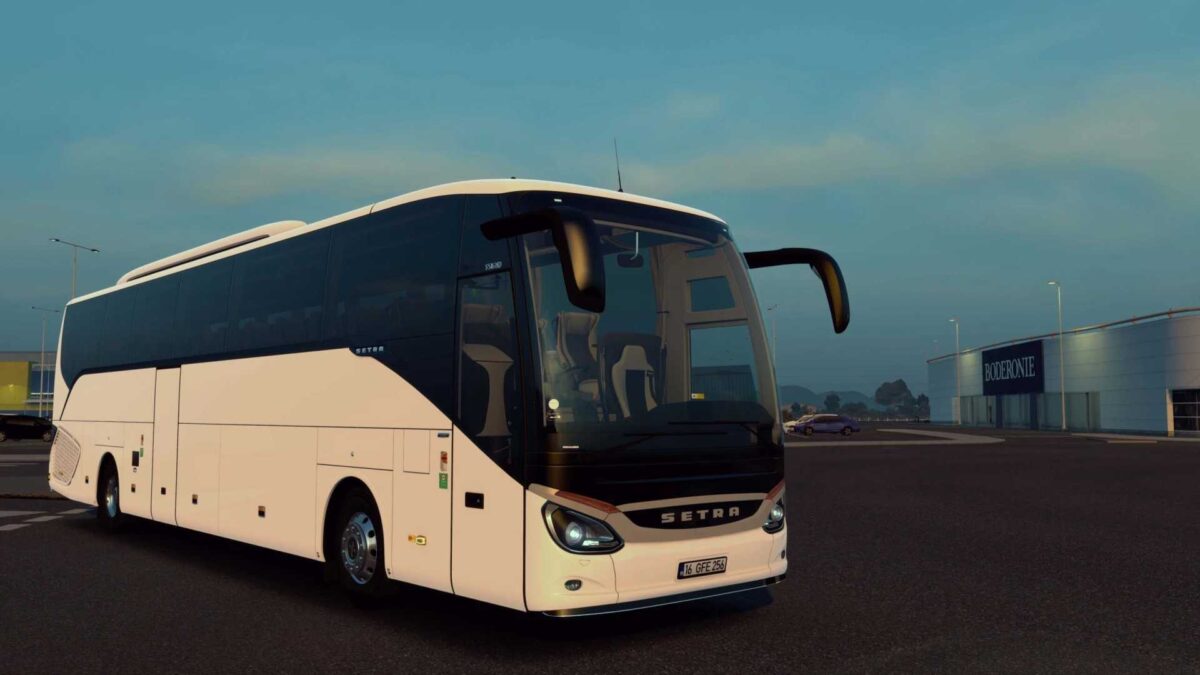
Setra S516HD ETS2 1.51-1.55 ETS2
Mod Version: v1.51 – v1.55
Options for engine sounds
Options for retarder sounds
Realistic physics included
Active realistic trip computer features
Vehicle branding from multiple companies
Customizable suction cup sign options
Fiskli tea glass add-on
Various customizable antenna options
Bumper bar options customizations
Custom signage options
Chrome accessory customizations
Physical flag options customizable
Sticker options available for customization
Cabin light customization options
Towbar options customizable
Console skin options available
Interior trim options customizable
Custom options for interior and dashboard carpets
Headlight and accessory customization
Hood lighting options customizable
Ceiling air conditioner protection options available
Navigation options customizable
Seat options customizable
Air horn options customizable
Mirror customization options
Windshield options customizable
Curtain options customizable
Front body options customization available
Physical mat options customizable
License plate customization options
Glass ornament customization options
Customizable fog light options
Driver lighting customizable
Console cloth options available for customization
Passenger lighting options customizable
Flooring options customizable
Credits: oyuncuyusbis.com
How to Install ETS2 or ATS Mods
Installing mods in Euro Truck Simulator 2 is straightforward. Simply download the mod from the link, copy or unzip the files into the “My Documents\Euro Truck Simulator 2\mod” folder. If you’re playing ATS, install the mods in the “My Documents\American Truck Simulator\mod” folder. You can use WinRAR or 7zip to unzip the files. After that, activate the desired mods for use.