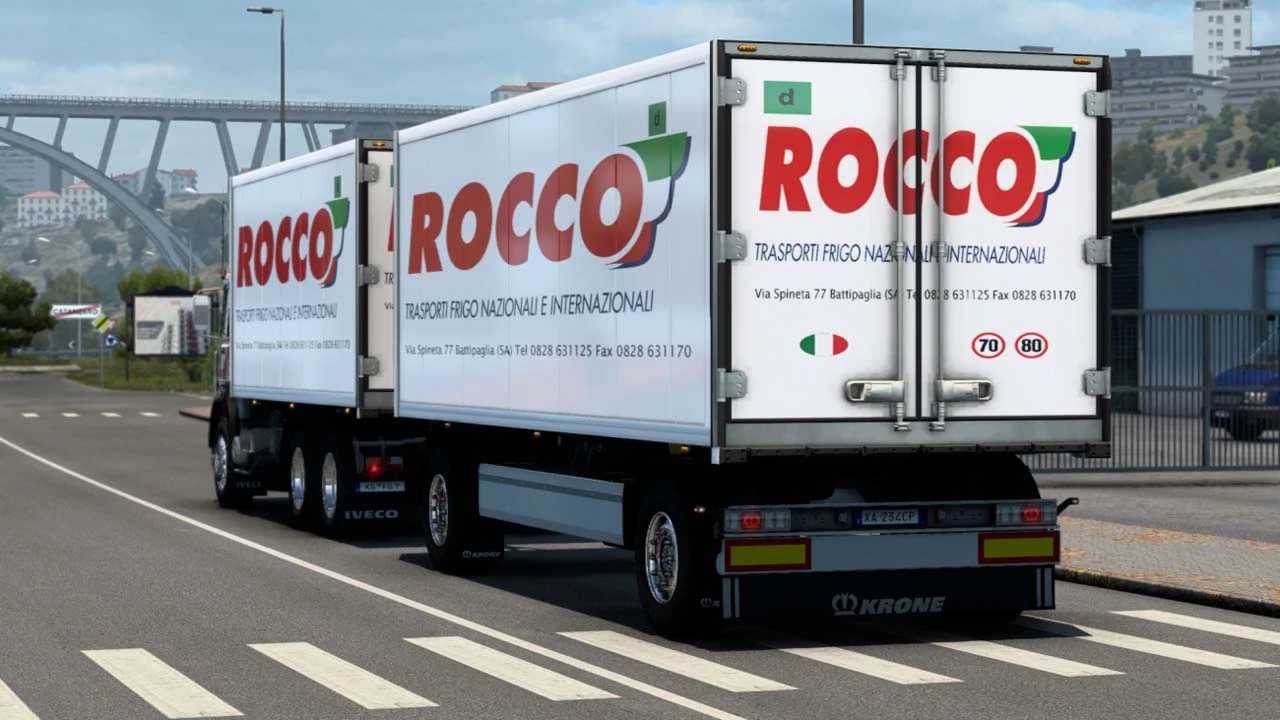
Iveco 190-38 Special + Trailer v1.54 ETS2
Changelog
– Updated models and animations
– Reimported materials and assets
– Bug fixes
– Enhanced optimization
– Compatibility for version 1.54
Features:
– Cabin options: Standard, Special
– Chassis options: 4×2, 6×2 + 4 body types for BDF carrier and trailer
– V8 engine with FMOD sound
– Interior styles: Special, Standard
– Animated windows
– Interior light toggle with button “o”
– Eaton, Fuller, and ZF transmissions
– Custom tuning options
– Supports Cabin DLC and SiSL accessories
– Standalone unit
Credits: Antonio62
How to Install ETS2 or ATS Mods
Installing mods in Euro Truck Simulator 2 is straightforward. Simply download the mod, then copy or unzip the files into the “My Documents\Euro Truck Simulator 2\mod” folder. For American Truck Simulator, place the mods in the “My Documents\American Truck Simulator\mod” folder. You can use WinRAR or 7zip to unzip files. Afterward, activate the mods you wish to use.