Image: supplied by the mod author
DAF NGD Dashboard Add-on
An extra information page for the SCS DAF NGD dashboard, bringing speed, fuel use and rest information together while keeping the stock screens.
- Author
- Dacova Modding
- Works with
- 1.61
- DLC needed
- No specific DLC listed by the author
- Price
- Free
- Link checked
- 25 October 2026
- Listed by
- The mod's author, reviewed by us
This opens the mod's official page. We never re-upload mods, so you always get the author's latest, untouched version.
Does it work for you on ETS2 1.61?
About this mod
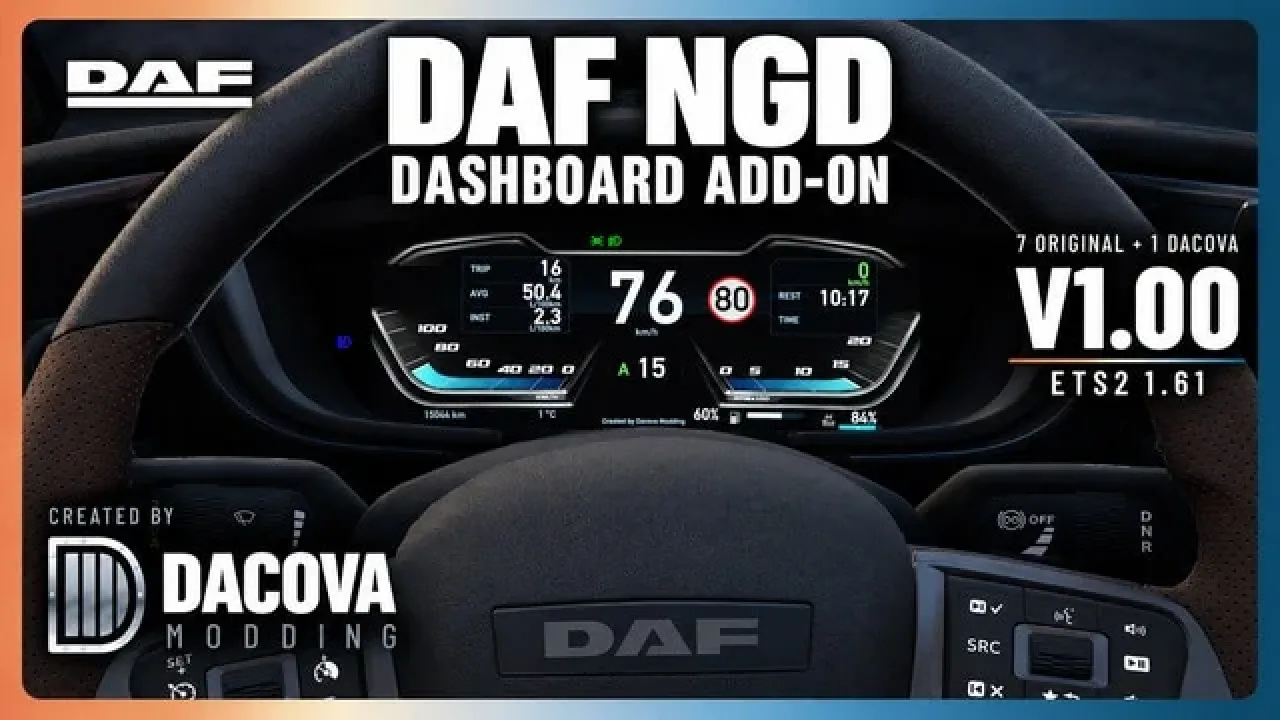
Keep the familiar DAF instruments and add a page for the details you check during a delivery. Dacova’s add-on leaves the seven original dashboard pages available, with an extra screen that groups speed, the road limit, trip distance and fuel consumption.
Cruise-control status, remaining rest time, gearbox mode and fuel/AdBlue bars complete the display. Engine-brake information and discreet blind-spot alerts depend on the equipment fitted to your truck.
The author lists ETS2 1.61 support and marks it optional for Convoy. This release targets the SCS DAF NGD dashboard; avoid combining it with another replacement for that same panel.
Subscribe on Steam Workshop and activate the mod for your profile.
Cycle the truck’s dashboard pages until the Dacova screen appears.
Features
- Additional page alongside seven stock dashboard screens
- Speed, trip and average/instant fuel-consumption information
- Fuel and AdBlue bars with driving-status indicators
How to install DAF NGD Dashboard Add-on
- Open the mod's Steam Workshop page (sign in to Steam if asked) and press Subscribe. Steam downloads it for you.
- Start Euro Truck Simulator 2. On the profile screen, open the Mod Manager.
- Find DAF NGD Dashboard Add-on in the list and move it to Active mods, then press Confirm changes.
Helpful guides
Link broken, or the mod has a newer version? Tell us and we'll check it.