
How to install Euro Truck Simulator 2 mods
Installing an ETS2 mod takes about a minute once you know where things go. This guide covers both ways to get mods, how to switch them on, why load order matters, and what to do when the game crashes.

On this page
1. Two ways to get mods
ETS2 mods come in two forms:
- Steam Workshop mods, if you own the game on Steam. You press Subscribe and Steam handles downloading and updating. This is the easiest option.
- Downloaded mods: files you get from an author's website or forum post. They usually come as
.scsor.zipmod packages, sometimes bundled inside another archive. You put the installable packages in the game'smodfolder yourself. Most big mods, such as large map packs, are only available this way.
Both kinds work the same way once they're installed: you switch them on per profile in the game's Mod Manager.
2. Installing from Steam Workshop
- Open the mod's Steam Workshop page, in the Steam app or a browser where you're signed in to Steam.
- Press Subscribe. Steam downloads the mod in the background and keeps it updated.
- Start the game and switch the mod on in the Mod Manager.
To remove a Workshop mod, press Unsubscribe on its page. Switch it off in the Mod Manager first if a save depends on it (see the questions below).
Popular mods you can install this way:
 Gameplay & Physics
True Mirror FOV
by edkodeMakes ETS2's truck mirrors behave like real European ones: flat main mirrors for true distances, convex mirrors for blind spots.Author: 1.61Free · Steam Gameplay & Physics
Realistic Truck Physics Mod
by Frkn64Frkn64's long-running physics mod: softer, more realistic suspension, cab movement and trailer behaviour, so trucks feel heavy and planted on the road.Author: 1.61Free · Steam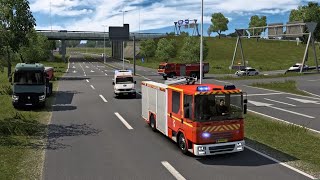 AI Traffic
Real Traffic Density
by Cip & ErbkaiserTraffic based on real-world traffic counts: busier motorways, quieter nights, smarter traffic lights and AI that occasionally breaks the speed limit.Author: 1.61Free · Steam3. Installing a downloaded mod
- Download the mod from its official page and read the author's installation instructions.
- Keep ready-to-use
.scsor.zipmod packages intact. Extract.raror.7zarchives, or a.zipcontaining separate mod packages, as the author directs. The files you need may be.scs,.zip, or both. - Put those installable
.scsor.zipfiles in the game'smodfolder (below). If there's nomodfolder, create one, all lowercase. - Start the game and switch the mod on in the Mod Manager.
Does a ZIP need extracting? A .zip can be the mod itself: SCS documents support for both .scs and .zip packages. If the author says to put the ZIP in your mod folder, leave it intact. If it contains separate mod files, extract those instead.
Where the mod folder is:
- Windows
Documents\Euro Truck Simulator 2\mod
If OneDrive backs up your Documents, it's underOneDrive\Documents\Euro Truck Simulator 2\mod.- Linux
~/.local/share/Euro Truck Simulator 2/mod- macOS
~/Library/Application Support/Euro Truck Simulator 2/mod
Tip: don't put mod files in the game's install folder (the one with the .exe and base.scs). The game only loads mods from the mod folder in your Documents.
Big mods that download this way, from their authors' own pages:
 Full map
ProMods Europe
by ProMods TeamThe biggest map mod for ETS2: thousands of extra kilometres of road across Europe and beyond, built and maintained by a large team since 2012.Author: 1.61Free · Download Graphics & Weather
Better Flares
by AveliumReworked light flares, realistic headlight beams in 12 lamp colours and softer street lamps. Version 4.9.1 for ETS2 1.61, updated 19 October 2026.Author: 1.61Free · Download Map add-on
Poland Rebuilding
by Michaleczeq and the Poland Rebuilding teamA long-running rebuild of Poland on top of ProMods: Szczecin, Gdańsk, Bydgoszcz, Warsaw and Lublin redone, plus new S-roads. Version 3.0.1 for 1.61.Author: 1.61Free · Download4. Switching mods on in the Mod Manager
Mods do nothing until you switch them on, and they're switched on per profile.
- Start the game. On the profile selection screen, open the Mod Manager.
- Your installed mods are listed on the left. Double-click a mod (or use its arrow) to move it to Active mods on the right.
- Arrange the active mods in the order you want (next section), then press Confirm changes and load your profile.
If a mod doesn't appear in the list at all, check the folder and the author's installation instructions: it may still be bundled inside an archive containing separate mod packages. A ready-to-use .zip mod can stay zipped. If it shows a warning icon, it was probably made for an older version of the game. It may still work, but check the author's page for an update.
5. Load order: which mod wins
When two active mods change the same thing, the mod higher in the active list wins. Some rules of thumb:
- Put small tweaks (sounds for one truck, a skin, a traffic density fix) above the big mods they change.
- Put map mods and big overhauls near the bottom, in the exact order their authors give. Map combinations are very sensitive to order: see our map mods guide.
- If a mod's page lists a load order, follow it. We copy it onto our mod pages wherever the author gives one.
Want it done for you? Our mod sets come with the load order worked out, and My mods sorts any list you build.
6. After a game update
SCS Software updates ETS2 a few times a year. Updates often break mods, especially trucks, maps and physics mods, until their authors release new versions. To avoid problems:
- Back up your profile first. Copy the
profilesfolder (orsteam_profilesif you use Steam Cloud) fromDocuments\Euro Truck Simulator 2somewhere safe. - Check that your important mods say they work with the new version. Our mod pages show this with a green version badge.
- Can't wait for your mods? On Steam, SCS usually keeps the previous version as a beta branch: right-click the game, choose Properties → Betas and pick the older version until your mods catch up.
7. The game crashes: finding the broken mod
Start with your log: our crash-log checker groups errors and warnings and suggests what to investigate. Select game.log.txt or paste it; the contents stay in your browser.
- Save a copy of
game.log.txtfromDocuments\Euro Truck Simulator 2after the problem occurs, before starting the game again. Errors may name a file to investigate; the last line alone does not establish the cause. - Back up your profile before changing mods. Try a separate test profile with your usual mods switched off, so you can check whether the problem also happens without them.
- On that test profile, add your mods back in batches, keeping required mods and connectors together and following the authors' load order. Narrow down which combination brings the problem back.
- Look for an update to that mod, or a note from its author about conflicts with other mods.
8. Staying safe
- Standard ETS2 mod packages are
.scsor.zipfiles, sometimes bundled inside another archive. Never run an.exethat claims to be a mod or a "mod installer" unless it comes from a well-known author's official site. - Avoid sites full of link shorteners, countdowns and several "Download" buttons. Those are re-uploads, often of old versions, and sometimes worse.
- Download from Steam Workshop, the author's own site or the SCS forum. Every mod on EuroTruckSimulator2.uk links to one of those.
9. Quick questions
Do mods work in multiplayer (TruckersMP)?
Mostly no. TruckersMP has its own rules and only allows a small set of mods. Keep a separate single-player profile for modding.
Will mods disable Steam achievements?
Most mods don't. Mods that change the game's rules or economy may block some achievements, and the mod's page usually says so.
What happens if I remove a truck mod I'm using?
The next time you load that profile, the game warns about missing mods, and anything from the mod (for example a truck you bought) is removed. Sell the modded truck or swap to another one before removing the mod.
Do I need any DLC for mods?
Most mods work with the base game. Map mods often need certain map DLCs, and some trailer or tuning mods need related DLCs. Our mod pages list what's needed under "DLC needed".
Can I use mods on the Mac or Linux version?
Yes. Mods are the same files on every system: only the location of the mod folder is different (see step 3).
Ready? Browse the latest mods or start with a category.