
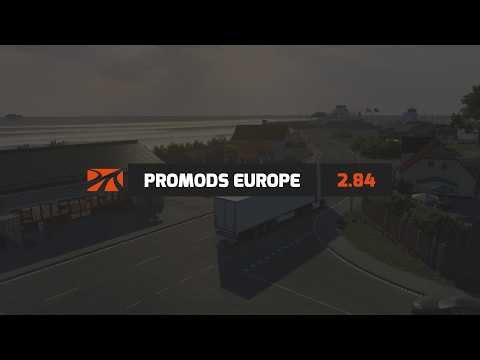
Video from the ProMods team (official v2.84 trailer). It plays from YouTube when you press play.
ProMods Europe
The biggest map mod for ETS2: thousands of extra kilometres of road across Europe and beyond, built and maintained by a large team since 2012.
- Author
- ProMods Team
- Game version
- 1.61as listed by the author (see the official page)
- Players
- Needs
- DLC: Going East!, Scandinavia, Vive la France!, Italia, Beyond the Baltic Sea, Road to the Black Sea, Iberia, West Balkans, Greece, Nordic Horizons
- Clashes with
- Paris Rebuild v3.6 use one unless the authors document a compatible combination or connector; changing load order alone may not resolve this
- Price
- Free
- Link checked
- 18 October 2026 (the download page opens; not a test of the mod)
Hear about more like this? We'll show new ones in Your week on My mods.
Does it work for you on ETS2 1.61?
Screenshots (3)


Stills from the video above. Click a picture to see it full size.
About this mod
ProMods Europe expands the ETS2 map with new countries, cities and roads, and reworks many areas SCS hasn't touched in years. Version 2.84 came out on 18 September 2026, the day after ETS2 1.61. It rebuilt Denmark's Rødbyhavn ferry port, Poland's S3 expressway and a stretch of Germany's A5, and added four new road sections in Romania.
ProMods is free, but it's only distributed through promods.net. Copies on other download sites are unofficial and often outdated.
Features
- Large map expansion across Europe, Scandinavia, the Baltics and further east
- Reworked versions of older SCS areas
- Regular updates that follow each new game version
- Optional Trailer & Company Pack
How to install ProMods Europe
- Download the mod from ProMods.net.
- Follow the author's installation instructions. Keep ready-to-use
.scsor.zipmod packages intact; extract archives containing separate mod packages as directed. - Move the ready-to-use
.scsor.zipmod package(s) intoDocuments\Euro Truck Simulator 2\mod. Create themodfolder if it isn't there. - Start the game, open the Mod Manager on the profile screen, move ProMods Europe to Active mods and press Confirm changes.
Load order: Use the exact load order shown on the ProMods download page. Mods that should sit above ProMods, such as Sound Fixes Pack and Real Traffic Density, say so on their own pages.
Notes for this mod
- ProMods comes as several files (a definition package plus map files). Install all of them.
- You need to own the SCS map DLCs that ProMods lists on its download page.
- Start a new profile, or back up your profile before adding ProMods to an existing save.
Part of this mod set: Poland map combo. Each set has the whole load order worked out.
Helpful guides
 Best ETS2 Bus Mods for 1.61: Coaches, Passengers & MapsChoose a coach, city bus, passenger mod or bus map, and check what each one needs
 Best ETS2 Map Mods for 1.61 (and the Right Load Order)Which map mods work together, the DLCs they need and the right load orderInstalling a downloaded modWhere the mod folder is and what to do with .scs, .zip and .7z filesLoad order explainedWhich mod wins when two change the same thingIf the game crashesHow to find the mod that causes it in a few restarts
Link broken, or the mod has a newer version? Tell us and we'll check it.


