Image: supplied by the mod author
Garmin dēzl by Hartline v3.0
Three Garmin-inspired GPS sizes with live game navigation, driving information and day/night modes. Version 3.0 is made for ETS2 1.60.
- Author
- Hartline
- Works with
- 1.60
- DLC needed
- None, base game is enough
- Price
- Free
- Link checked
- 26 October 2026
- Listed by
- The mod's author, reviewed by us
This opens the mod's official page. We never re-upload mods, so you always get the author's latest, untouched version.
Does it work for you on ETS2 1.61?
Screenshots (2)
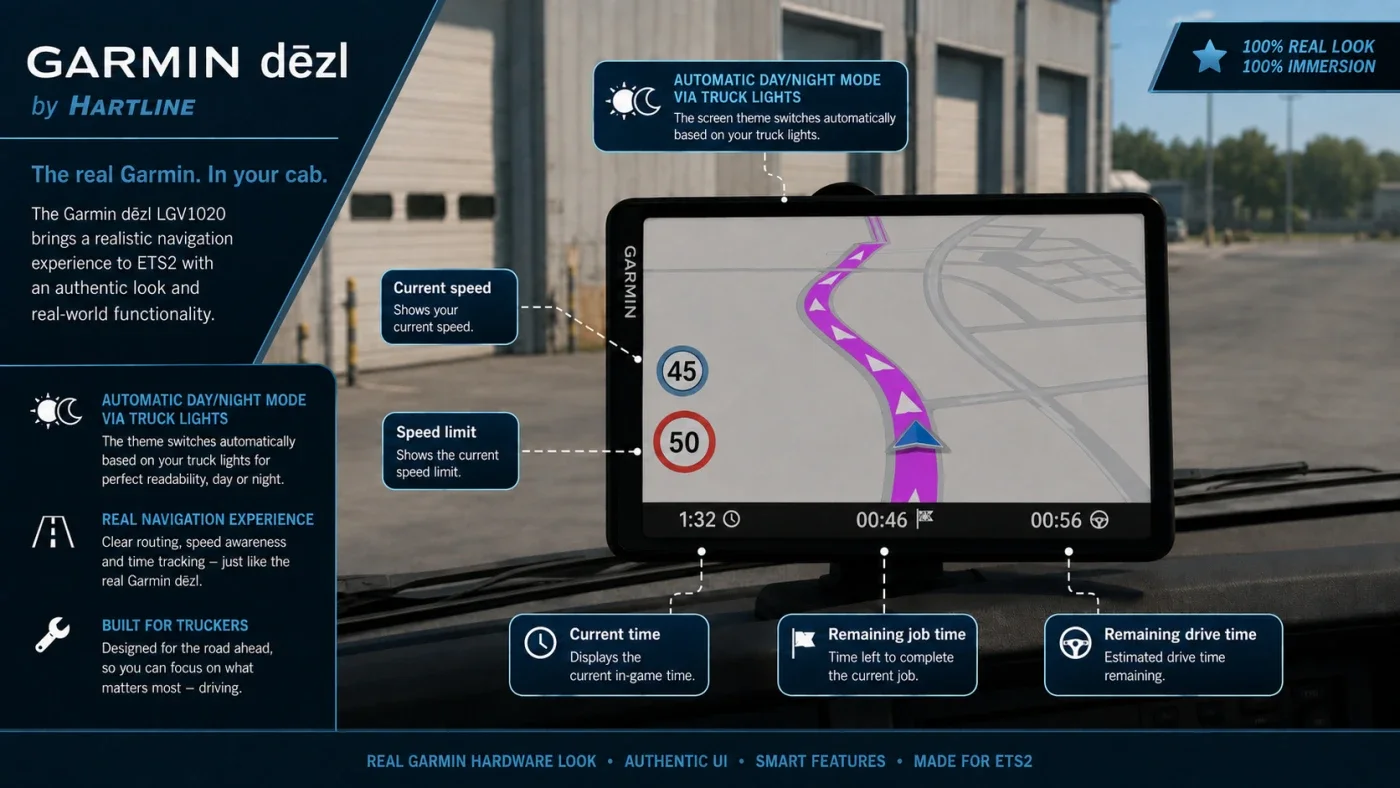
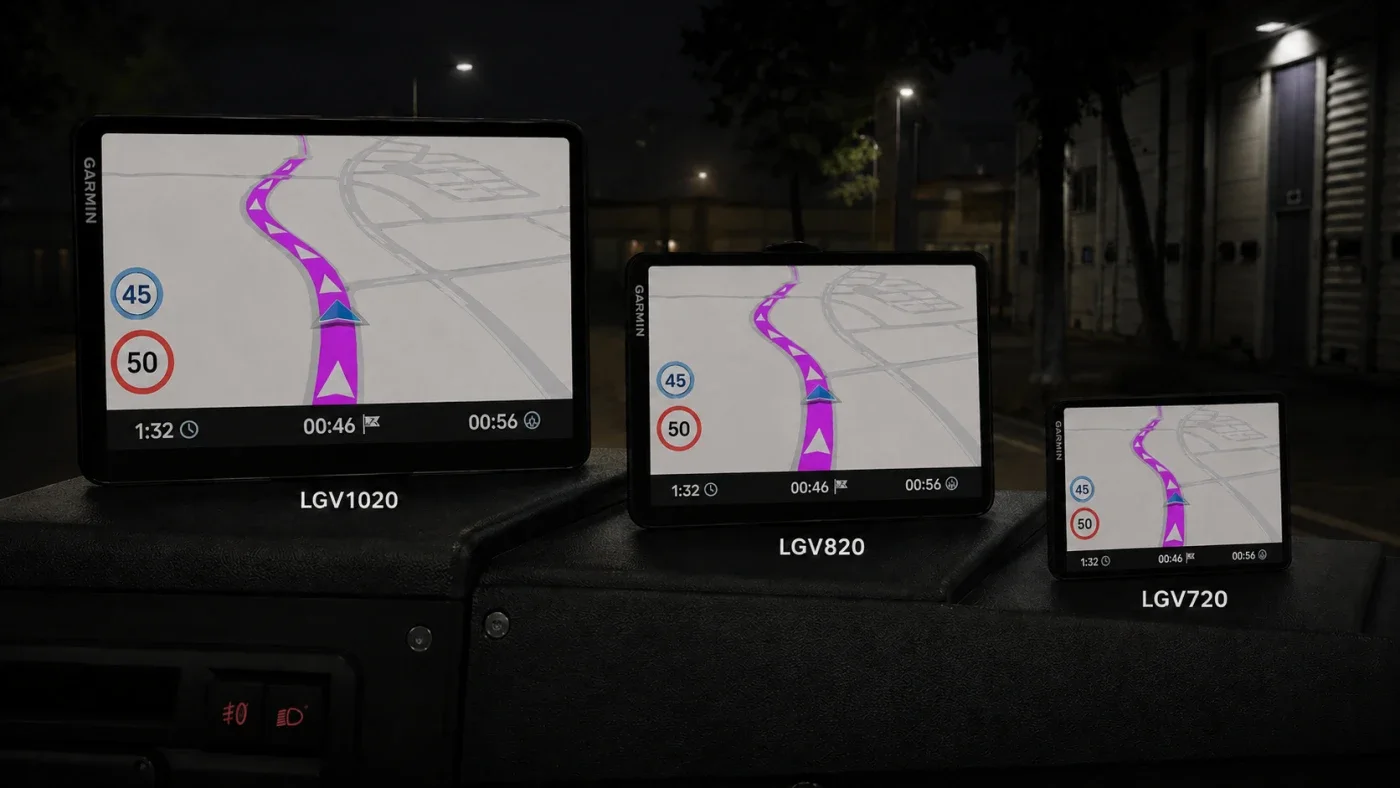
Screenshots supplied by the mod author. Click a picture to see it full size.
This mod hasn't been confirmed for ETS2 1.61 yet. The newest version it's listed for is 1.60. It may still work, but check the author's page first.
About this mod
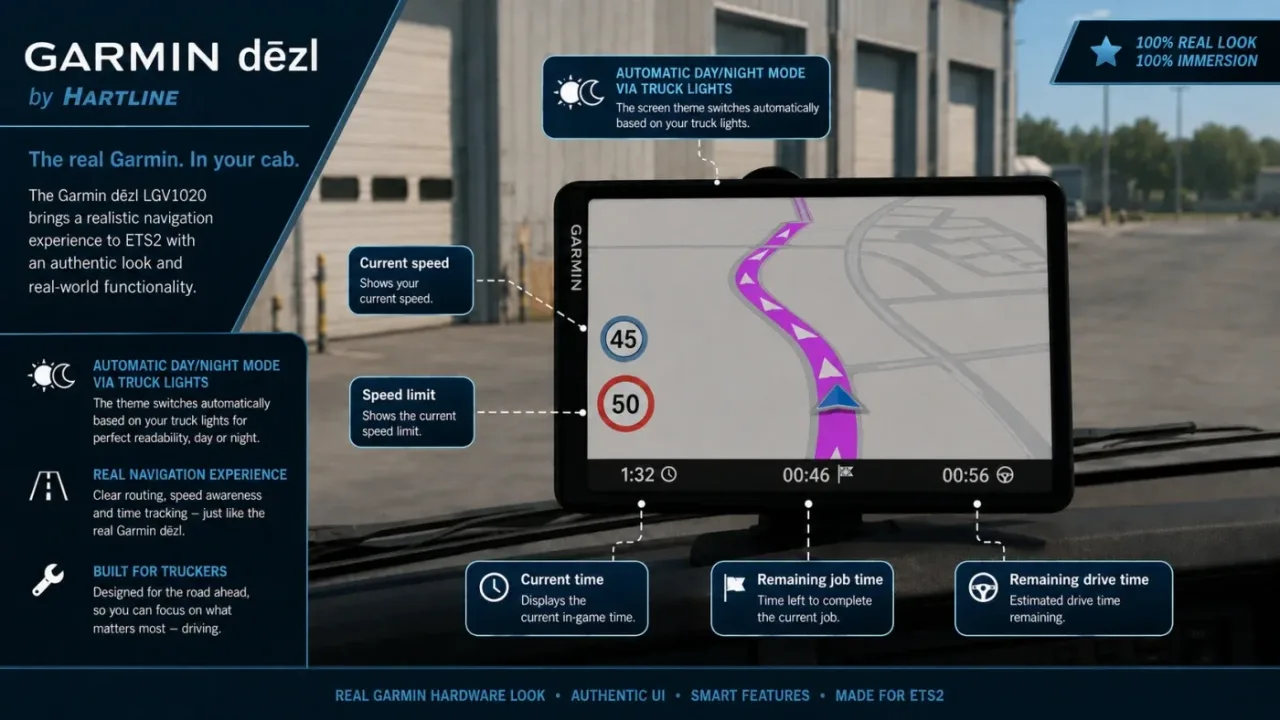
Fit a Garmin-inspired dēzl unit to your cab with Hartline’s standalone accessory pack. LGV1020, LGV820 and LGV720 models each have left- and right-hand-drive variants, giving six entries in the configurator.
The screen retains live ETS2 navigation and adds driving speed, speed limit, game time, job time and remaining driving time. Day/night appearance follows the truck’s light switch. Version 3.0 targets ETS2 1.60 and needs neither an external DLL nor telemetry software or TJ’s GPS mod. This is an unofficial fan-made accessory.
Mod and image credits: Hartline.
Features
- Three GPS model sizes
- Left- and right-hand-drive versions
- Live ETS2 map and route
- Speed, time and job readings
- Automatic day/night appearance
- No external plugin required
How to install Garmin dēzl by Hartline v3.0
- Download the mod from truckymods.io.
- If you get a
.zip,.raror.7zfile, extract it. You need the.scsfile(s) inside. - Move the
.scsfile(s) intoDocuments\Euro Truck Simulator 2\mod. Create themodfolder if it isn't there. - Start the game, open the Mod Manager on the profile screen, move Garmin dēzl by Hartline v3.0 to Active mods and press Confirm changes.
Helpful guides
Link broken, or the mod has a newer version? Tell us and we'll check it.