Image: supplied by the mod author
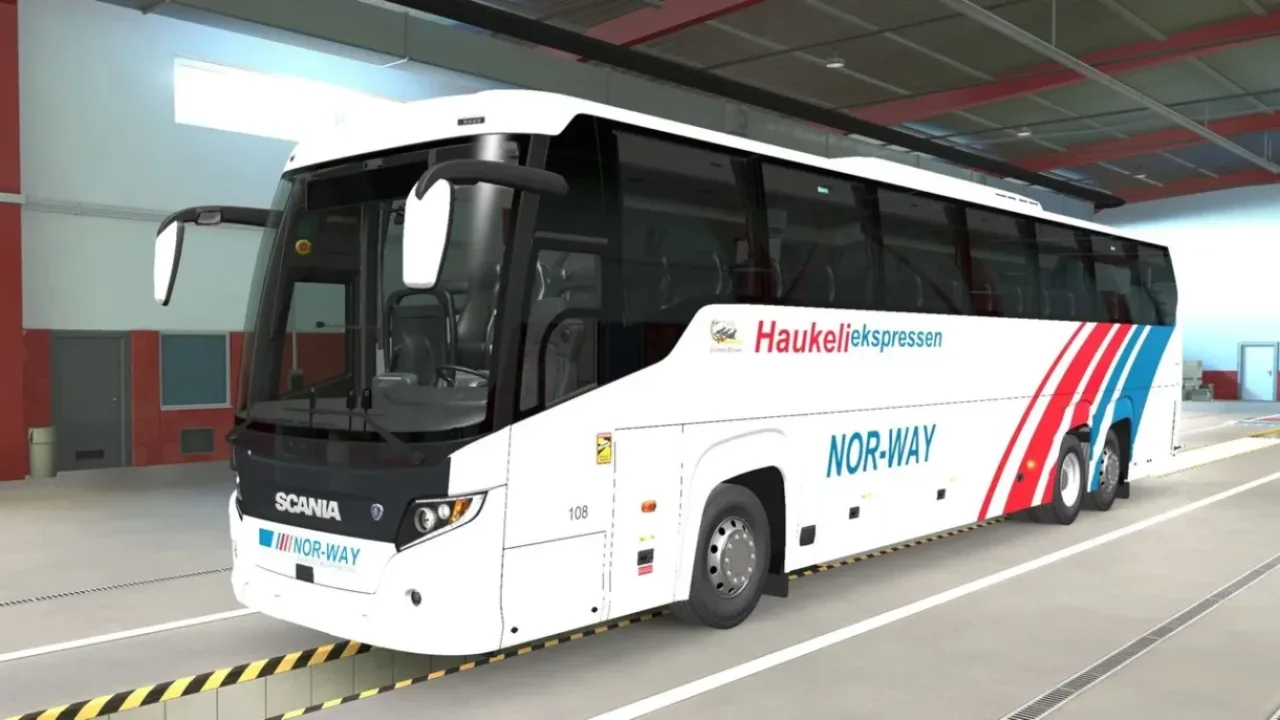
Haukeliekspressen Scania Touring Paint Job v0.1.7
Classic Norwegian Haukeliekspressen paint for the 12.9 m and 13.7 m variants of the stock Scania Touring.
- Author
- Cleetus
- Game version
- 1.62as the mod author told us when submitting it (see the official page)
- Players
- Needs
- Nothing extra, the base game is enough
- Price
- Free
- Link checked
- 15 November 2026 (the download page opens; not a test of the mod)
- Listed by
- The mod's author, reviewed by us
Hear about more like this? We'll show new ones in Your week on My mods.
Does it work for you on ETS2 1.62?
Screenshots (2)
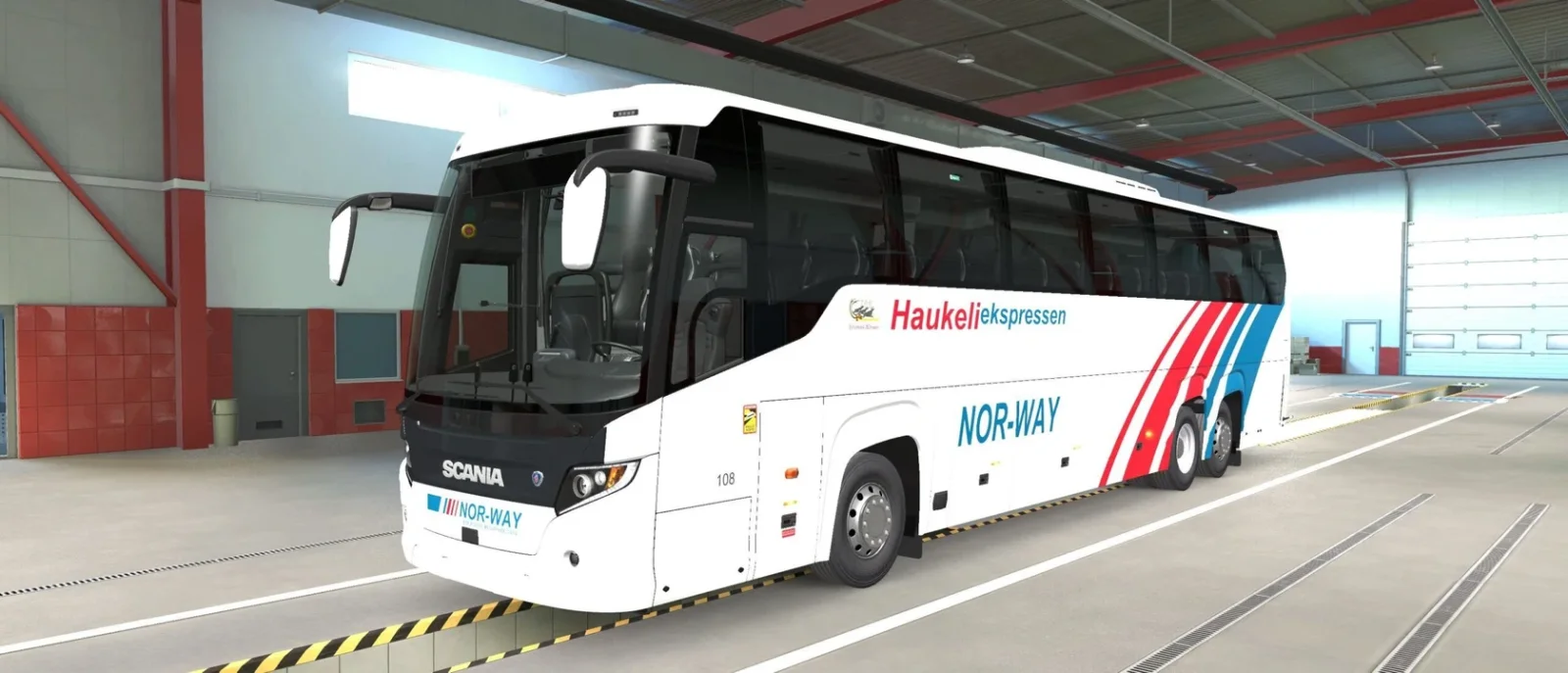
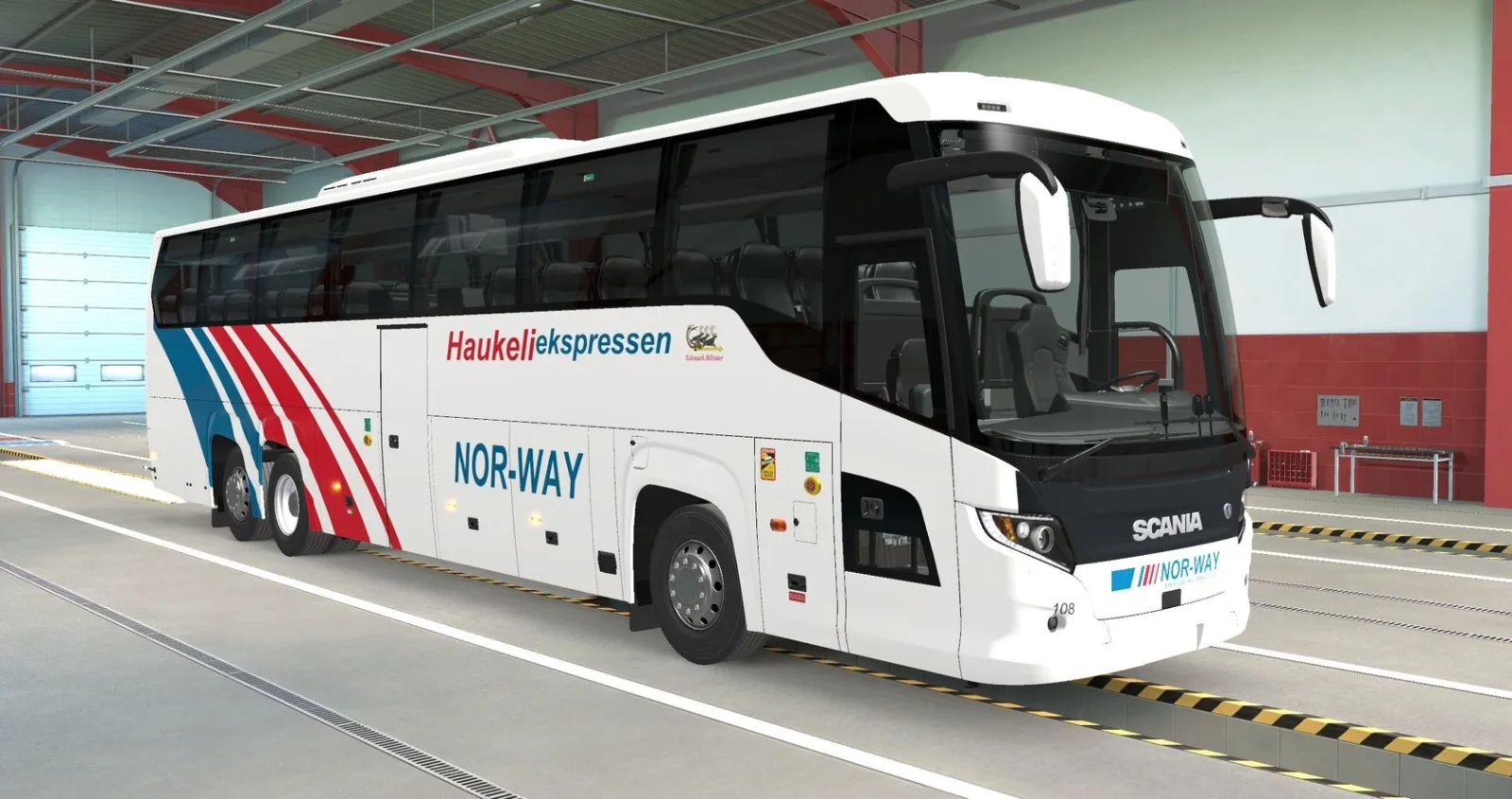
Screenshots supplied by the mod author. Click a picture to see it full size.
About this mod
Cleetus applies the white, red and blue NOR-WAY livery to both Scania Touring chassis using separate 8K textures. The coaches receive fleet numbers 107 and 108 along with Telemark Bilruter branding. Requires the Coaches DLC. Creator credits include SunnyTruckingETSATS for the UV templates and SCS Software for the coach model.
The creator lists support for ETS2 1.62.
How to install Haukeliekspressen Scania Touring Paint Job v0.1.7
- Download the mod from ETS2.lt.
- Follow the author's installation instructions. Keep ready-to-use
.scsor.zipmod packages intact; extract archives containing separate mod packages as directed. - Move the ready-to-use
.scsor.zipmod package(s) intoDocuments\Euro Truck Simulator 2\mod. Create themodfolder if it isn't there. - Start the game, open the Mod Manager on the profile screen, move Haukeliekspressen Scania Touring Paint Job v0.1.7 to Active mods and press Confirm changes.
Helpful guides
Link broken, or the mod has a newer version? Tell us and we'll check it.