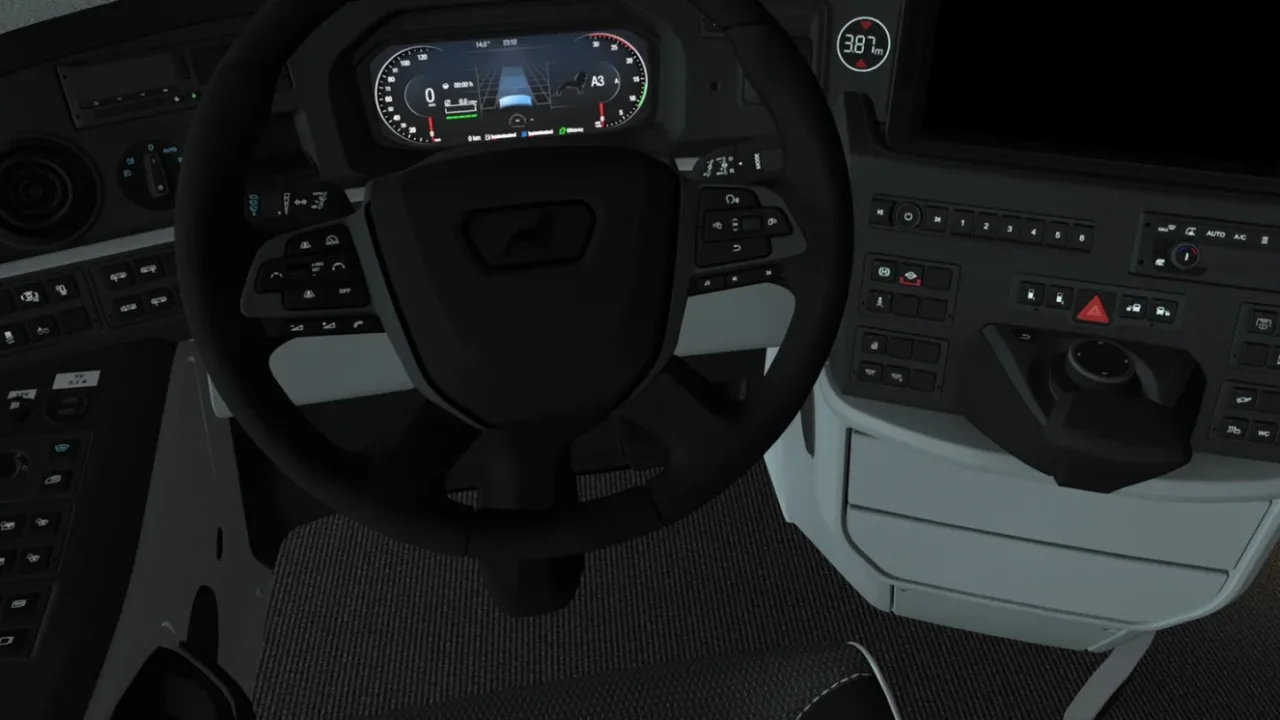
Picture by BoHa Panopi 2, from the mod's Steam Workshop page.
Ambient Lights for Coaches
Adds seven selectable ambient interior colours to the Volvo 9700 DD, Scania Touring and MAN Lion's Coach. No colour cycling or rainbow effects.
- Author
- BoHa Panopi 2
- Game version
- 1.62as listed by the author (see the official page)
- Players
- Needs
- Nothing extra, the base game is enough
- Price
- Free
- Added to site
- 28 November 2026
Hear about more like this? We'll show new ones in Your week on My mods.
Does it work for you on ETS2 1.62?
Screenshots (4)


Screenshots by BoHa Panopi 2, from the mod's Steam Workshop page. Click a picture to see it full size.
About this mod
This interior mod gives three popular coaches a choice of seven ambient light colours, from cabin blue and ice blue to lavender, pink and neutral white. It supports the Volvo 9700 DD, Scania Touring and MAN Lion's Coach.
The Volvo 9700 DD also gets four extra blue light strips: beside the left side window, on the front dashboard, in the ceiling and by the right entrance door. These strips are exclusive to the Volvo and are absent from the other two coaches.
Colours are picked one at a time in the vehicle configurator under interior background lighting. Colours do not change automatically, and the matching bus mods must be installed separately because this mod does not include the buses. The author does not name a game version; it was last updated on Steam on 21 November 2026.
Features
- Seven colours: cabin blue, ice blue, turquoise, jade green, lavender, pink and neutral white
- Four extra blue light strips on the Volvo 9700 DD only
- Colour chosen in the vehicle configurator
- No automatic colour changing or rainbow effects
- Buses themselves are not included
How to install Ambient Lights for Coaches
- Open the mod's Steam Workshop page (sign in to Steam if asked) and press Subscribe. Steam downloads it for you.
- Start Euro Truck Simulator 2. On the profile screen, open the Mod Manager.
- Find Ambient Lights for Coaches in the list and move it to Active mods, then press Confirm changes.
Notes for this mod
- Choose the colour in the vehicle configurator under interior background lighting
Helpful guides
 Best ETS2 Mods for 1.62 (2026): Hand-Picked by JobMods worth installing, grouped by job, with version, DLC needs and load order
 Best ETS2 Realism Mods for 1.62 & 1.61: Sound, Physics, Traffic and WeatherSound, physics, traffic, weather and lights: what to install, what clashes, in what orderInstalling from Steam WorkshopSubscribing, switching the mod on, and removing it safelyIf the game crashesHow to find the mod that causes it in a few restarts
Link broken, or the mod has a newer version? Tell us and we'll check it.