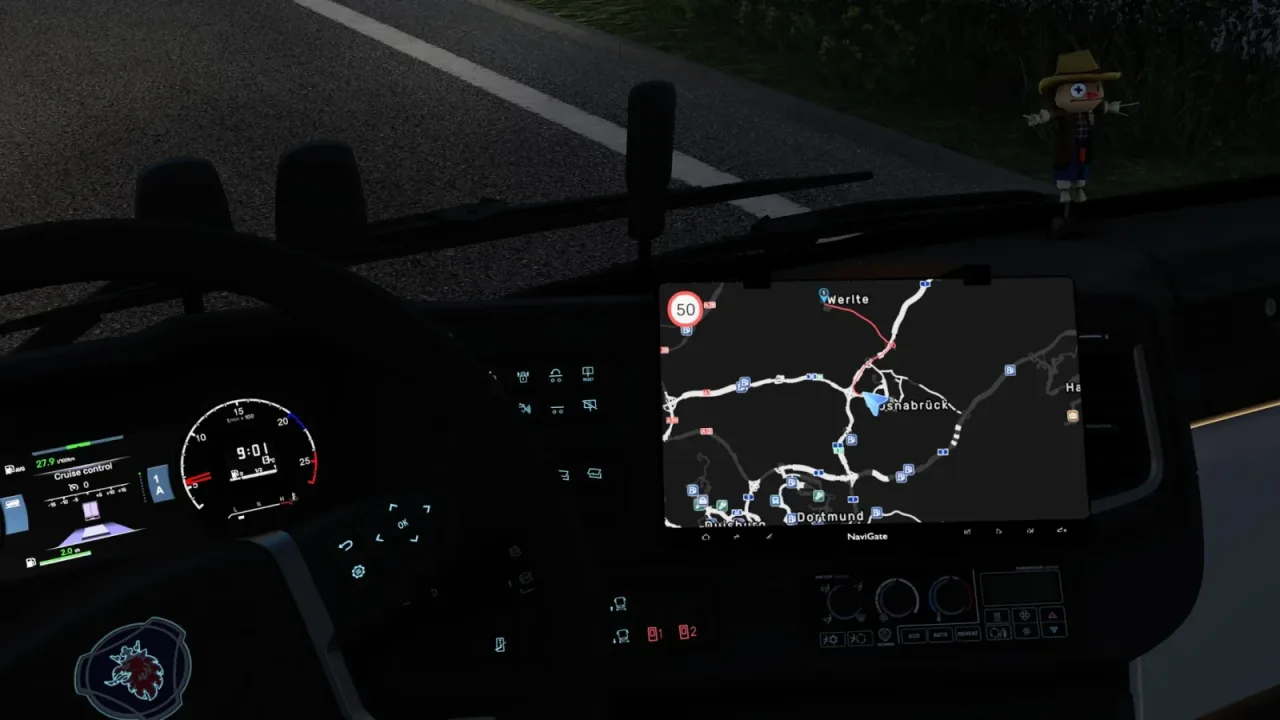

Picture by eSing, from the mod's Steam Workshop page.
NaviGate - Coach Infotainment GPS (MAN, Scania, Volvo)
Adds a 12.3, 14 or 16 inch GPS screen to MAN, Scania and Volvo coaches, showing the factory GPS feed and lighting up with the ignition.
- Author
- eSing
- Game version
- 1.62as listed by the author (see the official page)
- Players
- Needs
- Coaches
- Cabin Accessories
- Price
- Free
- Link checked
- 22 November 2026 (the download page opens; not a test of the mod)
Hear about more like this? We'll show new ones in Your week on My mods.
Does it work for you on ETS2 1.62?
Screenshots (4)


Screenshots by eSing, from the mod's Steam Workshop page. Click a picture to see it full size.
About this mod
NaviGate is an aftermarket infotainment display for the MAN Lion's Coach 2024, Scania Touring and Volvo 9700. It comes in three sizes (12.3, 14 and 16 inch) and sits in a tablet-style clamp holder with rubber-tipped hands.
It shows the coach's own GPS, so it works with the default navigation and with GPS overlay tools that draw into the game GPS. The key symbols and logo light up white with the ignition and follow the dashboard backlight. Coaches without the optional accessory keep the factory screen.
It needs the Coaches and Cabin Accessories DLCs and ETS2 1.62 or newer. It works with GPS colour mods such as Dark GPS, which the author suggests for a darker map and compact layouts on the larger screens. No dashboard meshes are replaced.
Features
- Three screen sizes: 12.3, 14 and 16 inch, fitted to all three coaches
- Tablet clamp holder with four rubber-tipped hands and a ball joint
- Logo and key symbols light up white with the ignition
- Screen brightness matched across MAN, Scania and Volvo
- Works with factory interiors and most dashboard mods
How to install NaviGate - Coach Infotainment GPS (MAN, Scania, Volvo)
- Open the mod's Steam Workshop page (sign in to Steam if asked) and press Subscribe. Steam downloads it for you.
- Start Euro Truck Simulator 2. On the profile screen, open the Mod Manager.
- Find NaviGate - Coach Infotainment GPS (MAN, Scania, Volvo) in the list and move it to Active mods, then press Confirm changes.
Notes for this mod
- At a service shop, select NaviGate Infotainment 12.3-inch, 14-inch or 16-inch under Air Conditioner Items on a MAN, Scania or Volvo coach.
Helpful guides
 Best ETS2 Realism Mods for 1.62 & 1.61: Sound, Physics, Traffic and WeatherSound, physics, traffic, weather and lights: what to install, what clashes, in what orderInstalling from Steam WorkshopSubscribing, switching the mod on, and removing it safelyIf the game crashesHow to find the mod that causes it in a few restarts
Link broken, or the mod has a newer version? Tell us and we'll check it.