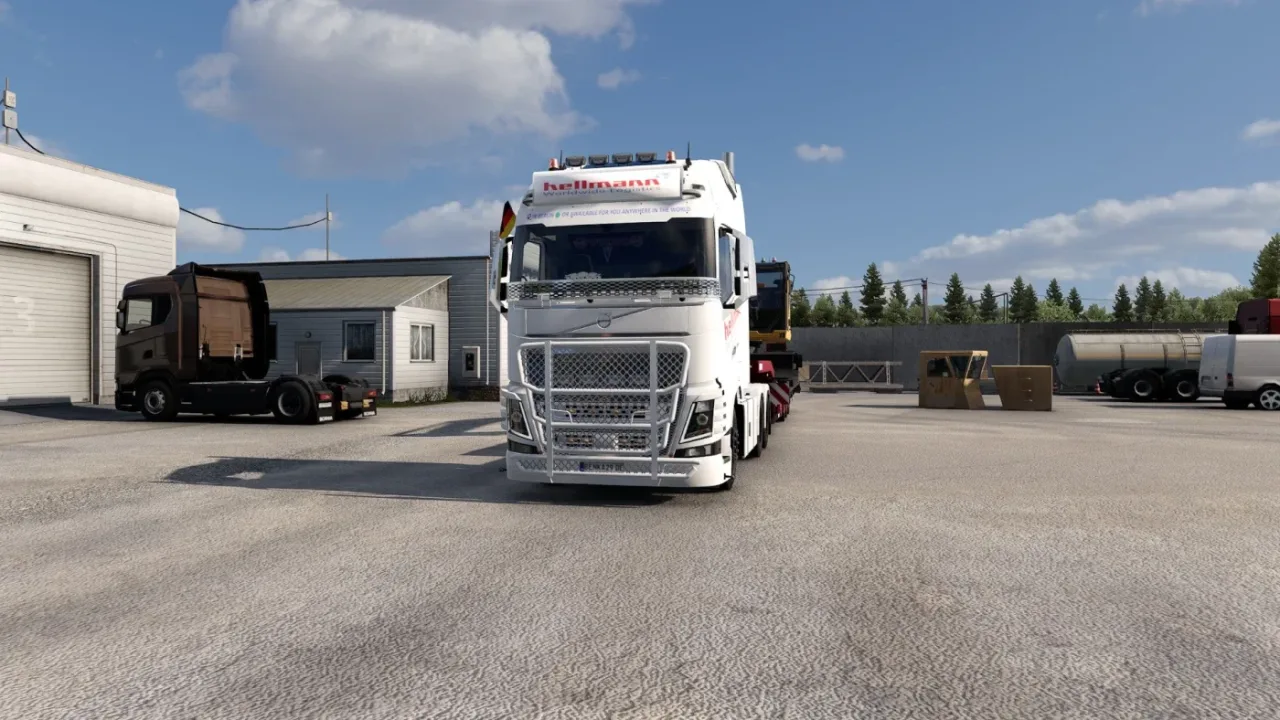
Image: supplied by the mod author
Hellmann Worldwide Logistics Combo v4.2
Coordinated Hellmann liveries for Volvo FH trucks and a broad trailer selection.
- Author
- Benka29
- Works with
- 1.58 1.57 1.56 1.55
- DLC needed
- Relevant Schmitz Cargobull/Tirsan trailer DLC for those skins; see author page for Dynamix Heavy Tyres.
- Price
- Free
- Link checked
- 28 October 2026
- Listed by
- The mod's author, reviewed by us
This opens the mod's official page. We never re-upload mods, so you always get the author's latest, untouched version.
Does it work for you on ETS2 1.61?
Screenshots (2)
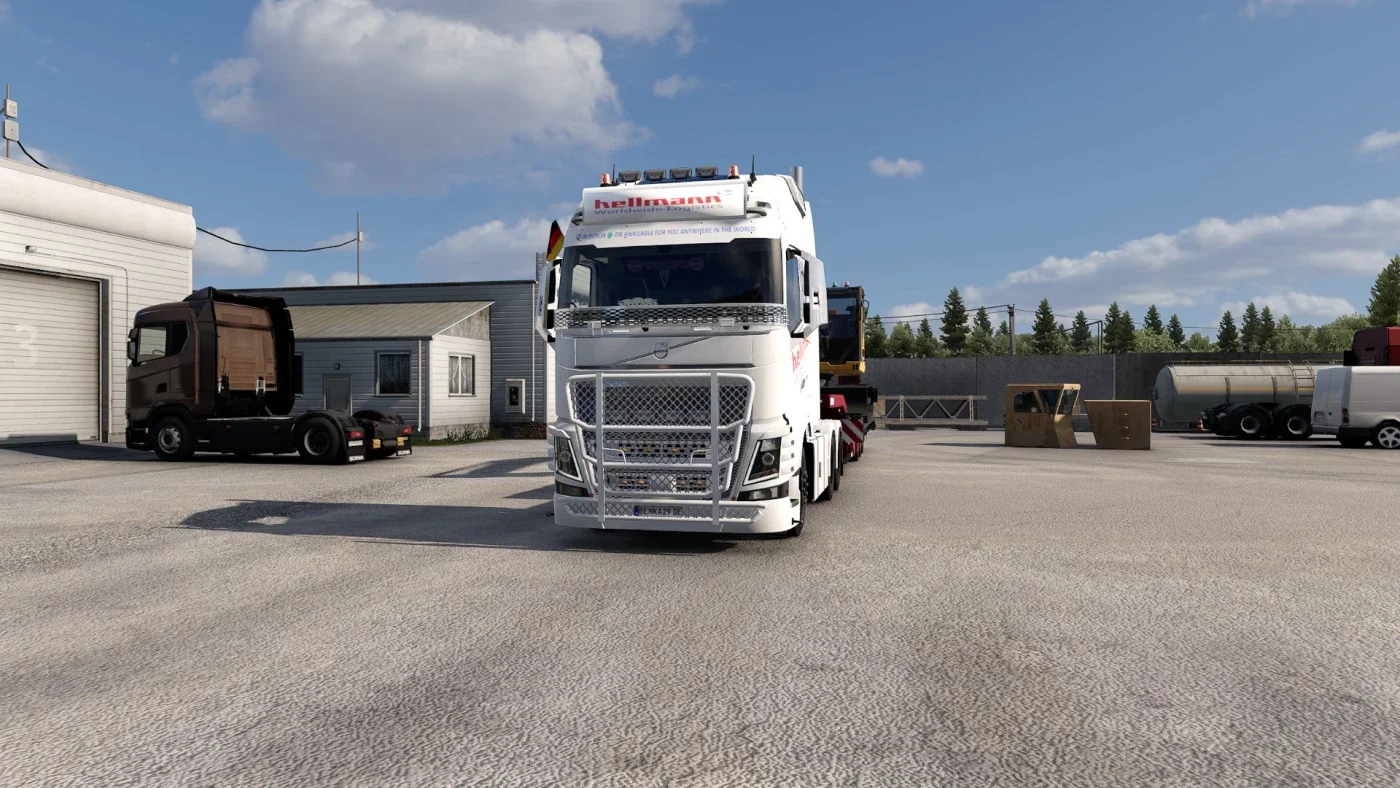
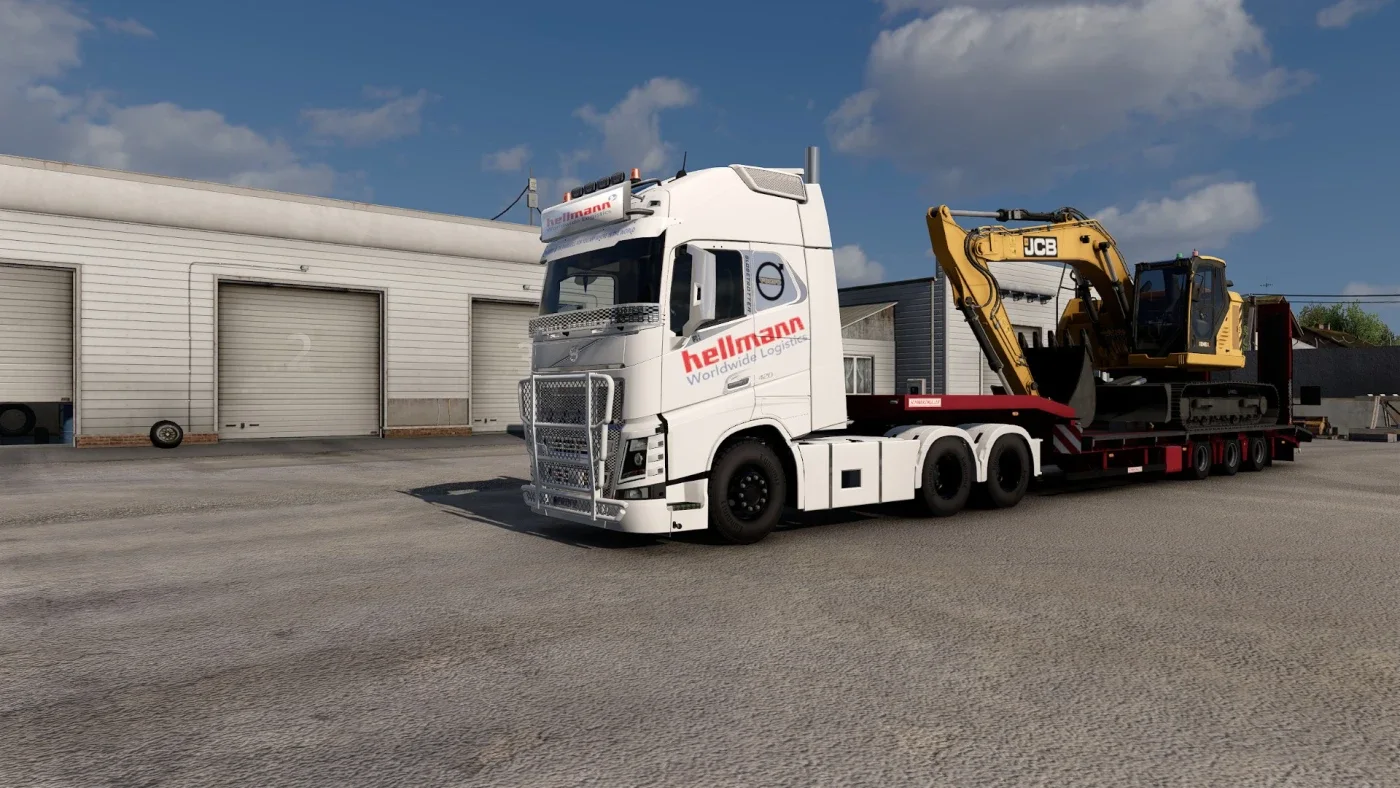
Screenshots supplied by the mod author. Click a picture to see it full size.
This mod hasn't been confirmed for ETS2 1.61 yet. The newest version it's listed for is 1.58. It may still work, but check the author's page first.
About this mod
Benka29 combines Hellmann Worldwide Logistics paintwork for Volvo FH4, FH5 and FH6 trucks with matching trailer skins. The package also includes logo lightbar work and powertrain tuning described by the author, including heavy-duty engine, AWD and a six-speed transmission update.
Trailer support includes many SCS bodies plus Schmitz Universal, EcoFIX and Cooler models, doubles and Tirsan trailers. Relevant trailer DLC is needed for those DLC models; the official page separately links Dynamix Heavy Tyres. The current release metadata identifies v4.2 for ETS2 1.54–1.58; this submission selects the available 1.55–1.58 form options.
Mod and image credits: Benka29.
How to install Hellmann Worldwide Logistics Combo v4.2
- Download the mod from truckymods.io.
- If you get a
.zip,.raror.7zfile, extract it. You need the.scsfile(s) inside. - Move the
.scsfile(s) intoDocuments\Euro Truck Simulator 2\mod. Create themodfolder if it isn't there. - Start the game, open the Mod Manager on the profile screen, move Hellmann Worldwide Logistics Combo v4.2 to Active mods and press Confirm changes.
Helpful guides
Link broken, or the mod has a newer version? Tell us and we'll check it.