Russia map combo
RusMap and SibirMap, plus three free maps from SibirMap's thread (VolgaMap, Southern Region, KirovMap): Belarus to the Urals and Siberia.
RusMap adds European Russia and Belarus to the normal map, and SibirMap carries on east to the Urals, Siberia and Kazakhstan. Together they make one of the biggest map expansions for ETS2.
SibirMap also needs three smaller free maps that we don't list here: VolgaMap, Southern Region and KirovMap. Their official links are in SibirMap's forum thread, along with the full combo order.
The button adds the 2 mods listed here. The set also needs 3 more things that aren't in this list: see What this set needs.
What this set needs
- DLCs: Going East!, Scandinavia, Vive la France!, Italia, Beyond the Baltic Sea, Road to the Black Sea, Iberia, West Balkans, Greece, Nordic Horizons
- Not on this site, get these too: VolgaMap (link in the SibirMap forum thread) (for SibirMap 2.0); Southern Region map (link in the SibirMap forum thread) (for SibirMap 2.0); KirovMap (link in the SibirMap forum thread) (for SibirMap 2.0)
Load order
Top to bottom, as in the game's Mod Manager: the mod at the top wins when two change the same thing. Other mods you use go around these, following their own notes.
 Map add-on
SibirMap 2.0
by 10avoidDrive deep into Russia: the Urals and western Siberia, including Chelyabinsk, Yekaterinburg, Tyumen, Omsk and Ufa, plus parts of Kazakhstan.Author: 1.61Free · DownloadAbove the maps it needs. The full order with VolgaMap, Southern Region and KirovMap is in its forum thread.
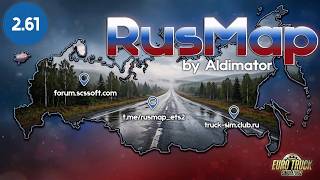 Full map
RusMap
by aldimatorA big map of European Russia and Belarus, updated for ETS2 1.61. It's the base map that many other Russian map mods connect to.Author: 1.61Free · DownloadInstall all of its files (map, definitions and models), and download only from its official forum thread.
Tips
- SibirMap's author lists every SCS map DLC as required.
- Unofficial copies of RusMap are passed around on download sites. Use the forum thread's own links.
- Start a new profile for big map combos, or back up yours first.
New to mods? Our install guide covers the mod folder, load order and fixing crashes. You can also build your own list with My mods.