Video by Ukrainian Trucker (SibirMap 2.13, Barabinsk to Omsk). It plays from YouTube when you press play.
SibirMap 2.0
Drive deep into Russia: the Urals and western Siberia, including Chelyabinsk, Yekaterinburg, Tyumen, Omsk and Ufa, plus parts of Kazakhstan.
- Author
- 10avoid
- Works with
- 1.61
- DLC needed
- Going East!, Scandinavia, Vive la France!, Italia, Beyond the Baltic Sea, Road to the Black Sea, Iberia, West Balkans, Greece, Nordic Horizons
- Price
- Free
- Link checked
- 18 October 2026
This opens the mod's official page. We never re-upload mods, so you always get the author's latest, untouched version.
Screenshots (3)


Stills from the video above. Click a picture to see it full size.
About this mod
SibirMap carries the road east beyond the other Russian maps, into the Ural mountains and western Siberia. You'll find cities such as Chelyabinsk, Yekaterinburg, Tyumen, Omsk and Ufa, and recent versions added parts of Kazakhstan (including the M-51 highway) and Kazan.
Version 2.13.1 was posted in the official forum thread on 18 September 2026 as the adaptation for game version 1.61. It's an add-on to the Russian map family, so it needs several other free map mods underneath it.
Features
- Urals and western Siberia
- Parts of Kazakhstan and Kazan in Tatarstan
- Version 2.13.1 for ETS2 1.61
How to install SibirMap 2.0
- Download the mod from SCS Software forum.
- If you get a
.zip,.raror.7zfile, extract it. You need the.scsfile(s) inside. - Move the
.scsfile(s) intoDocuments\Euro Truck Simulator 2\mod. Create themodfolder if it isn't there. - Start the game, open the Mod Manager on the profile screen, move SibirMap 2.0 to Active mods and press Confirm changes.
Load order: Follow the order in the forum thread: the required maps first, with SibirMap on top of them.
Notes for this mod
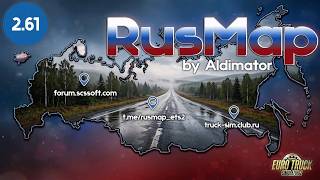
- SibirMap needs other free map mods: RusMap (map, def and model files), VolgaMap, Southern Region and KirovMap. Their links are listed in the SibirMap thread.
- The author lists every SCS map DLC as required.
New to mods? Our step-by-step install guide covers the mod folder, load order and what to do if the game crashes.