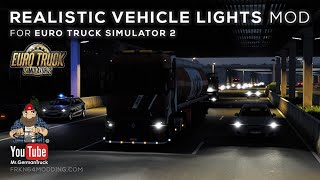
Picture by DBM Mods, from the mod's Steam Workshop page.
DBM Headlights Plus
Projector-style dipped beams that light the road 220 m ahead with a sharp European cut-off, without blinding you at close range.
- Author
- DBM Mods
- Works with
- 1.61
- DLC needed
- None, base game is enough
- Price
- Free
- Link checked
- 24 October 2026
This opens the mod's official page. We never re-upload mods, so you always get the author's latest, untouched version.
Does it work for you on ETS2 1.61?
Screenshots (3)


Screenshots by DBM Mods, from the mod's Steam Workshop page. Click a picture to see it full size.
About this mod
Stock ETS2 headlights throw a round patch of light just in front of the bonnet and very little further on. Headlights Plus redraws the dipped beam like a real projector lamp: a flat cut-off on the oncoming side, a step up on your side to light the verge and signs, and the brightest part of the beam far down the road. Dipped beams reach about 220 m instead of 90 m, and main beams about 420 m.
Version 1.4 also softens the light close to the truck, so the trailer in front at a red light doesn't turn into a glowing white wall. It covers 51 headlights on every base-game and DLC truck, including xenon and LED versions. Built for 1.61.
Features
- Dipped beam reach 90 m to 220 m, main beam about 420 m
- Sharp European cut-off that doesn't dazzle traffic
- Less glare on vehicles right in front of you
- 51 headlight types on all SCS trucks
- Safe to add or remove at any time
How to install DBM Headlights Plus
- Open the mod's Steam Workshop page (sign in to Steam if asked) and press Subscribe. Steam downloads it for you.
- Start Euro Truck Simulator 2. On the profile screen, open the Mod Manager.
- Find DBM Headlights Plus in the list and move it to Active mods, then press Confirm changes.
Load order: The author puts it at the top of the DBM mods, and every map mod goes below it.
Known conflicts
- Mods that change the same truck headlight files, such as Realistic Vehicle Lights or the Headlights add-on of Better Flares, will overlap. The one higher in the list wins.
Helpful guides
Link broken, or the mod has a newer version? Tell us and we'll check it.