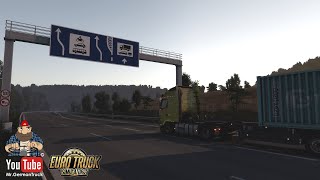
Picture by Weaysy, from the mod's Steam Workshop page.
Google Maps Style GPS (Dark Mode)
A dark, phone-navigation look for the in-game GPS: blue route, soft grey roads, muted green land and cleaner map icons.
- Author
- Weaysy
- Works with
- 1.61
- DLC needed
- None, base game is enough
- Price
- Free
- Link checked
- 24 October 2026
This opens the mod's official page. We never re-upload mods, so you always get the author's latest, untouched version.
Does it work for you on ETS2 1.61?
About this mod
This mod restyles the truck's GPS screen so it looks like a modern phone sat-nav in night mode. The background turns a calm blue-charcoal, your route is drawn in blue, roads are a readable grey and countryside is a muted green. It also brings 21 new map icons, a clearer destination flag and smaller, partly see-through F5 and rest panels.
It's a stand-alone theme for 1.61, so you don't need the author's light version. The full world map keeps the game's own colours. It's one of the most popular new mods on the Workshop this week, with over 7,000 subscribers in its first week. It isn't made by or linked to Google.
Features
- Dark blue-charcoal GPS theme with a blue route line
- 21 redrawn map icons and a clearer destination flag
- Compact F5 and rest/pause panels at 40% transparency
- Photo and viewpoint markers show whether you've found them
How to install Google Maps Style GPS (Dark Mode)
- Open the mod's Steam Workshop page (sign in to Steam if asked) and press Subscribe. Steam downloads it for you.
- Start Euro Truck Simulator 2. On the profile screen, open the Mod Manager.
- Find Google Maps Style GPS (Dark Mode) in the list and move it to Active mods, then press Confirm changes.
Notes for this mod
- Use only one GPS theme. Turn off the author's Light version and any other GPS mod.
- The theme is always dark; it doesn't switch with day and night.
- Trucks with custom GPS screens, replacement HUDs and zoom mods may need a patch. Mods that replace
def/map_data.siineed a merged file to work alongside it.
Helpful guides
Link broken, or the mod has a newer version? Tell us and we'll check it.